

1. What a seed really is 🌱
Every time you tap Create New World in Minecraft Bedrock, the game does not load a map that someone built by hand. It starts from a single number called the seed, and that number is fed into a set of mathematical rules known as procedural generation. The idea goes back to the early Alpha days, when Minecraft first moved to infinite terrain and the developers needed a way to create endless land without storing it all in advance. The trick is that the rules are deterministic: if you give the generator the same seed, in the same version, it will always produce the same mountains, the same rivers and the same caves, block for block. That is why a seed works like a recipe instead of a save file. The recipe is tiny, just a number, but the world it describes is practically endless. When you share a seed with a friend you are not sending them your world, you are sending them the instructions to build an identical copy of its terrain. Understanding this simple idea is the key to everything else in this guide, because almost every seed problem players run into comes from forgetting that the recipe depends on the version of the game that reads it. 🤓
2. From words to numbers 🔢
Many players type words into the seed box, like their name or their favorite food, and wonder how a word can become a world. Behind the scenes, Minecraft converts that text into a number using a hash function, a small piece of math that always turns the same text into the same value. That is why typing the exact same word, with the same capital letters and spaces, gives your friend the same terrain you got. If you leave the box empty, the game simply picks a random number for you, which is why a blank seed gives a surprise world every time. Over the years this created a whole seed sharing culture: YouTube channels, forums and TikTok accounts dedicated to finding worlds that spawn you next to a village, on a tiny island or in front of a giant cave. In the Spanish-speaking community this culture is huge, because on a phone a good seed can save you an hour of walking around looking for resources. The important lesson is that a seed is precise. A missing minus sign, an extra space or a number copied from the wrong version can give you a completely different world, so always copy seeds carefully. ✍️
3. Noise layers: how terrain takes shape 🏔️
The real magic happens in something called noise. Noise is a type of smooth randomness, similar to the famous Perlin noise used in many games, that creates gentle hills instead of chaotic spikes. Modern Minecraft does not use just one noise map, it stacks several of them. Since the Caves and Cliffs era, the generator reads values such as continentalness, which decides if an area is ocean or inland, erosion, which decides if land is flat or jagged, and weirdness, which helps create peaks and unusual shapes. On top of that, temperature and humidity layers decide which biome appears in each place, so a hot and dry zone becomes a desert while a cold and wet one becomes a snowy taiga. Because every layer is calculated from the seed, changing a single digit changes every layer at once. This is also why biomes now blend more naturally than in older versions, where you could walk from a jungle straight into a frozen ocean. When you look at a beautiful seed and think the game designed it, what you are really seeing is several invisible maps agreeing with each other in the same spot. 🧭
🧠 Interactive concept map
🔢 Input
Numbers are used directly; words are converted with a hash. Blank seed = random number.
🏔️ Noise layers
Continentalness, erosion, weirdness, temperature and humidity shape terrain and biomes.
🏘️ Structures
Placed per region using the seed, then filtered by biome. Can differ between editions.
🕰️ Version
1.18 reset most old seeds. New drops only generate in fresh chunks.
🤝 Parity
Java and Bedrock share terrain and biomes for the same seed since 1.18.
🛡️ Safety
A seed is just text. Never install apps or files to get one.
👆 Tap any branch to open it
4. Why version 1.18 changed every seed list ⚠️
If you search for seeds online you will find thousands of old lists that simply do not work anymore, and there is a historical reason for it. In late 2021, Caves and Cliffs Part II, version 1.18, rewrote world generation from the ground up. It raised the build limit, pushed the bottom of the world deeper, added huge cave systems and introduced the multi-layer noise system described above. The side effect was that almost every seed found before that update started producing different worlds. A seed that used to spawn you on a mushroom island might now drop you in the middle of a plains biome. For mobile players this caused a lot of confusion, because many videos and websites never updated their titles. The practical rule today is simple: if a seed was published before 1.18, treat it as a mystery box rather than a guarantee. In the current 26.x versions the base terrain generator is still built on that 1.18 foundation, which is good news, because terrain seeds from recent years are much more stable. What keeps changing are the extra features that each new drop adds on top, as we will see in a moment. 🕰️
5. Java and Bedrock: the parity story 🤝
For most of Minecraft history, Java Edition and Bedrock Edition generated different worlds even with the same number, so a Java seed was useless on a phone. The 1.18 rewrite changed this too. Mojang aligned the terrain generation of both editions, and since then the same numeric seed generally produces the same landforms and biome layout on PC Java and on Bedrock for Android, iOS, consoles and Windows. This is called seed parity, and it opened the door for Bedrock players to use powerful Java seed map tools to plan their worlds. There is an important catch, though. Parity mostly covers terrain and biomes. Structures such as villages, temples, shipwrecks and ruined portals are placed by separate systems, and these do not always line up between editions. Loot inside chests can differ as well. So the smart way to use a Java seed on Bedrock is to trust the shape of the land and the biomes, but to double check structure locations in your own game. If a video promises a village at exact coordinates, confirm which edition it was recorded on before you start walking. 🗺️
6. Structures and the region grid 🏘️
Structures follow their own logic. Instead of reading the noise maps directly, the game divides the world into large invisible squares called regions and uses the seed to decide whether each region tries to spawn a structure and where inside the square it lands. Then it checks if the biome below is valid, which is why a desert temple only appears in a desert even if the region roll said yes. Over the years this list has grown a lot: villages, ancient cities deep in the dark, trial chambers full of vaults, and in 2026 the Abandoned Camps that arrived with the Wilderness Bound drop inside the new Dappled Forest biome. Each new structure type adds new rolls on top of the same seed, so a familiar seed can suddenly show you something that was never there in older versions. This is also why loot changes between updates; Mojang even adjusted what you find in Abandoned Camps during the 26.50 beta cycle. When you hunt structures, remember that the seed gives you the possibility and the biome gives you the permission. Both must agree for the build to appear. 🏕️
7. Game drops keep adding to old seeds 📦
Since Mojang switched to smaller game drops several times per year, world generation keeps receiving new layers. In 2026 alone we got Tiny Takeover in March, focused on baby mobs, Chaos Cubed in June with sulfur caves, sulfur springs and cinnabar blocks, and Wilderness Bound in September with the Dappled Forest and its fiery poplar trees. Here is the detail many players miss: new features only generate in new chunks. If you open a world you started months ago, the areas you already visited are frozen in the version they were created in. To find sulfur caves or Dappled Forests in an old world you must travel to land you have never loaded. A classic trick is to use the Nether to travel far quickly and then come back out in fresh territory. This also means that two players using the same seed can see different things if one created the world before an update and the other after it. When you share a seed, always mention the version you used. It sounds like a small detail, but it is the difference between a friend saying wow and a friend saying it does not work. 🚀
| Concept | What it controls | Changes with updates? | Pro tip |
|---|---|---|---|
| Seed number | The whole world recipe | No | Copy it exactly, minus sign included |
| Text seed | Hashed into a number | No | Capitals and spaces matter |
| Terrain and biomes | Mountains, oceans, biome layout | Rarely since 1.18 | Safe to plan with Java seed maps |
| Structures | Villages, temples, camps | Yes | Verify on your own edition |
| New drop features | Sulfur caves, Dappled Forest | Yes | Explore new chunks only |
| Experimental toggles | Preview features | Yes | Test seeds on vanilla first |
Tap a column header to sort ⇅
8. How to use a seed on Bedrock step by step 📱
Using a seed in Minecraft Bedrock 26.52 is quick. Open the game, tap Play, then Create New and Create New World. In the world settings look for the Seed field, usually inside the general or advanced section depending on your platform and screen size, and paste or type the seed exactly as it was published. Keep the world type on the default infinite option unless the seed creator says otherwise, because flat or old style worlds ignore normal generation. Before you start a serious survival run, it is a good habit to create a test copy in Creative mode, fly around the spawn and confirm that the key features are really there. Then create your real survival world with the same seed. If you play with friends on a Realm or a server, the seed is chosen when the world is created, so the owner should set it from the beginning. Also remember that addons and experimental toggles can alter generation, so a seed tested on vanilla may look different in a heavily modded world. Taking two minutes to test can save you hours of frustration later. ✅
9. Safety and good seed habits 🛡️
Because seeds are popular, they also attract scams. A real seed is just text or a number, so you never need to install an app, download a strange file or give your account details to get one. If a website asks you to download an executable file to unlock a seed, close it. Do not confuse seeds with world downloads either. A .mcworld file is a full saved world that someone built and exported, and it can include structures, redstone and even scripts made by the creator. Those files can be great, but you should only download them from trusted sources. Another good habit is to keep a small note with your favorite seeds and the version you used, so you can recreate them after an update or when you change phones. If you are a creator, show the coordinates on screen and say the version clearly, because your audience will try to reproduce exactly what you show. Finally, respect the original finder. When you use a seed that someone else discovered, giving them credit helps keep the sharing culture healthy, and it is exactly the kind of community spirit that made Minecraft so special in Latin America. 🙌
10. Final thoughts: the seed is only the beginning ✨
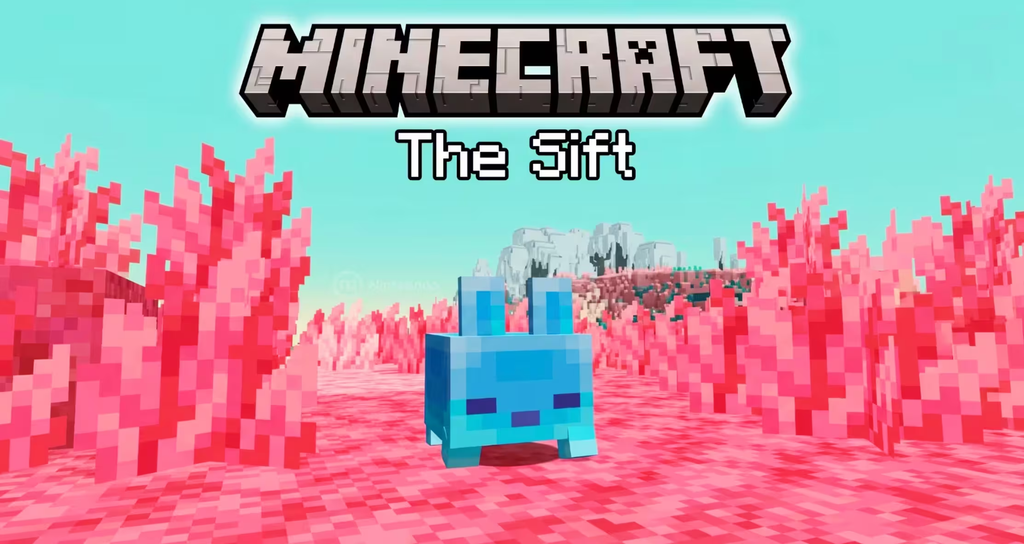
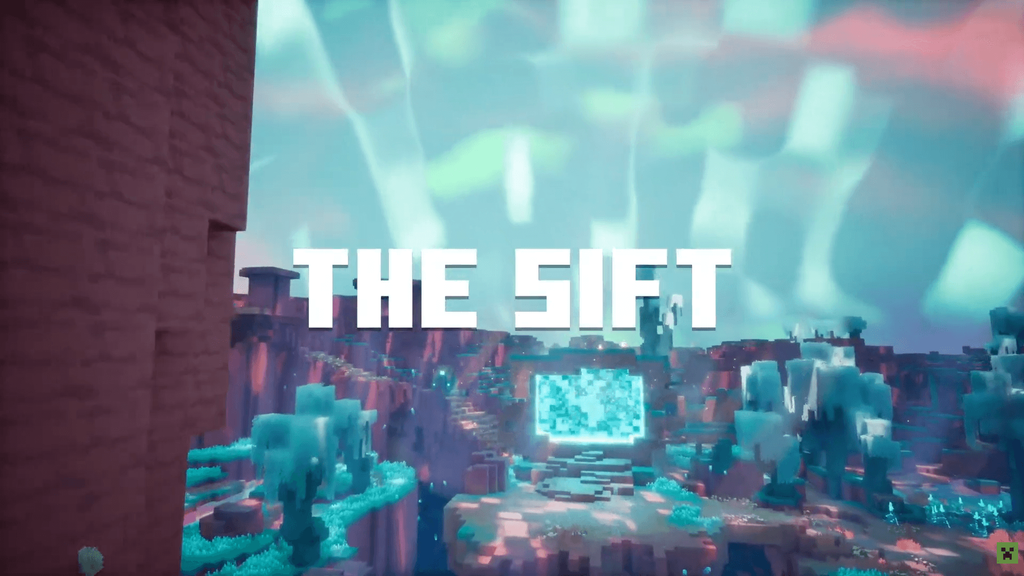
A seed gives you the stage, but you write the story. Two players with the same number can end up with completely different adventures depending on where they walk, what they build and which risks they take. Knowing how seeds work makes you a better explorer: you understand why a village is missing, why a Java map does not match your phone, and why your old world never shows the new Dappled Forest. It also prepares you for what comes next, because Mojang has already confirmed that The Sift, the first new dimension in more than 14 years, is coming to Java and Bedrock in 2027, and every new dimension brings new generation rules. Until then, experiment with seeds, test them in Creative, write down the version and share your best discoveries with credit. If you want to keep up with every new Minecraft Bedrock version, shaders, textures and addons for mobile, check the videos on my channel PAU07, where I review each update as soon as it lands. See you in the next world, and may your spawn always be next to a village. 💚