

1. The dream of a realistic Minecraft 🌄
Almost every Minecraft player has, at some point, wondered what the game would look like with realistic graphics. Water that reflects the sky, stone with real depth, wood that shows grain and metal that shines under the sun. For years this dream belonged mostly to Java players with powerful computers, who combined high resolution texture packs with heavy shaders. On Bedrock and Minecraft PE, things were more limited because phones and consoles had less power and the engine was closed to deep modifications. That has changed a lot. Today, thanks to PBR texture sets, the official Vibrant Visuals mode and a new generation of packs, Bedrock players can reach impressive realism, sometimes even on a phone. In my video about 10 realistic textures for Minecraft Bedrock, embedded above, I tested several of them. This article explains the history behind realistic packs, the technology that makes them work, which options fit each type of device and how to avoid the classic mistakes that turn a beautiful world into a slideshow of lag. 📸
2. From HD packs to RTX: a short history 📜
Realistic packs began as simple HD textures: the same blocks drawn at higher resolutions like 64x, 128x or 256x instead of the default 16x. They added detail but no real depth, because the game still lit every block in a flat way. The big turning point for Bedrock came in 2020 with Minecraft with RTX on Windows, which introduced ray tracing for compatible NVIDIA and later other graphics cards. To support it, Mojang added a new type of texture called a texture set, where each block can have extra maps describing how light should interact with it. This was the birth of PBR on Bedrock. RTX packs looked stunning, but they required a powerful PC, so most mobile players could only watch videos. Over the following years Mojang worked on a new rendering engine, RenderDragon, and eventually on Vibrant Visuals, a graphics mode that brings directional lighting, volumetric fog, reflections and shadows to many more devices, including some Android phones. That journey from HD textures to PBR is the background of every realistic pack you can use today. 🕰️
3. What PBR really means 🧪
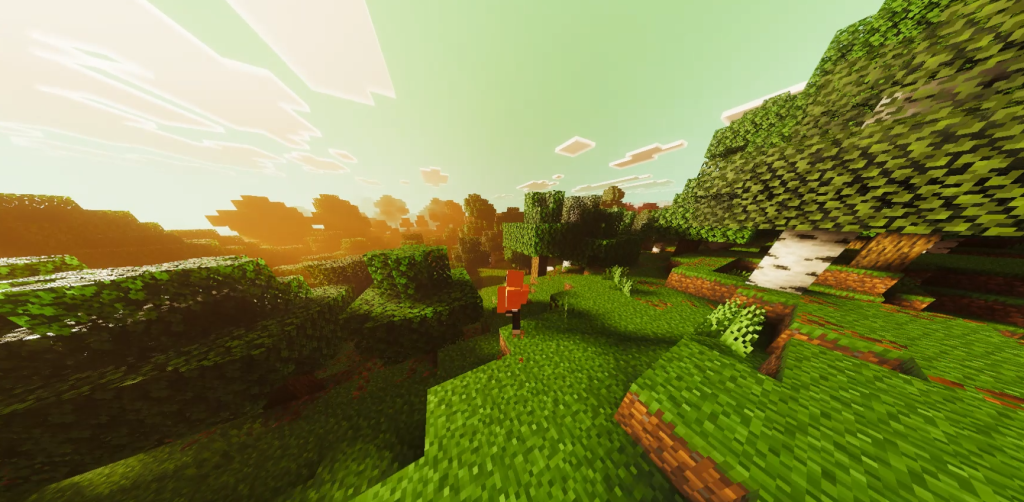
PBR stands for physically based rendering, a way of describing materials so that light behaves in a believable way. On Bedrock, a PBR block uses a texture set with several layers. The color map is the normal texture you know. A normal map or heightmap adds fake depth, so bricks look like they have gaps and stone has bumps. Then there is a map often called MER, which stores metalness, emissive and roughness. Metalness tells the game if a surface is metal, emissive makes parts glow, like lava or glowstone, and roughness decides if a surface is shiny like polished stone or matte like dirt. Newer formats used with Vibrant Visuals can also include subsurface information, which helps materials like leaves let some light pass through. When all these layers work together with a capable lighting engine, blocks react to the sun, to torches and to reflections in a realistic way. That is why a PBR pack looks flat without RTX or Vibrant Visuals: the extra maps are only used when the engine knows how to read them. 💡
🧠 Interactive concept map
📜 History
HD packs, then RTX in 2020 introduced PBR texture sets to Bedrock.
🧪 PBR maps
Color, normal or heightmap, and MER for metalness, emissive and roughness.
🌟 Vibrant Visuals
Official mode. Android needs Adreno 640, Mali-G68/G77 or Xclipse 530 or higher.
🌿 Vibrant Realism
Full PBR pack, spectacular on high-end devices.
🧸 Soartex Fanver
Smooth realistic style that works without advanced lighting.
⚡ Performance
Match resolution to your device. Double resolution = about 4x pixels.
👆 Tap any branch to open it
4. Vibrant Visuals made PBR mainstream 🌟
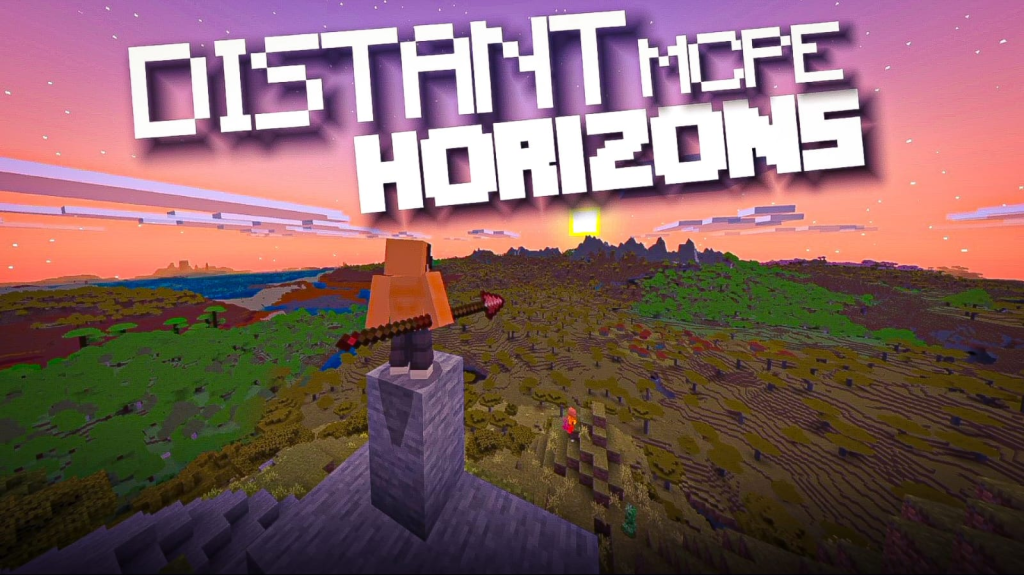
The arrival of Vibrant Visuals changed everything for realistic packs on Bedrock. It is an official graphics mode, so it does not require patched apps or external loaders, and it works with PBR texture sets created for it. According to Mojang, supported devices include Xbox Series X and S, Xbox One, PlayStation 4 and 5, PC, iOS and Android phones with GPUs such as Adreno 640, Mali-G68, Mali-G77 or Xclipse 530 or higher. On compatible devices it becomes the default graphics mode, and you can adjust individual effects in the Vibrant Visuals options. It is purely cosmetic, so you can play on Realms with friends whether they use it or not. This opened the door for a wave of Vibrant Visuals ready packs, including many on the Marketplace with a special label, and community packs like Definitive Vibrant Visuals or Revolution style projects. For players with weaker phones, especially those with PowerVR GPUs, the option may appear grayed out, which is why many in the community keep asking Mojang to expand support. In that case, classic shaders remain the alternative. 📱
5. Vibrant Realism PBR 🌿
One of the packs I showed on my channel is Vibrant Realism PBR, a realistic texture pack with full PBR materials designed to shine with modern lighting. With it, stone shows depth, ores have reflective details, wood looks natural and water feels heavier. When combined with Vibrant Visuals or a compatible shader, the result is close to the realistic Java screenshots that used to be impossible on Bedrock. The key to its look is how well its texture sets are calibrated: roughness values that keep dirt matte and polished blocks shiny, normal maps that add depth without making everything look noisy, and emissive details that make lights glow naturally. The cost is performance. Realistic packs use larger textures and more maps, so they need more memory and GPU power. On a high-end phone or a good PC, the experience is spectacular. On mid-range devices you may need to lower the render distance or disable some Vibrant Visuals effects. If you are curious, watch the second video embedded in this article to see real gameplay before deciding if your device can handle it. 🌲

6. Soartex Fanver: realism without the heavy cost 🧸
Not every realistic pack needs PBR. Soartex Fanver is a classic in the community, a long running fan continuation of the original Soartex pack, known for its smooth, clean and slightly realistic style. Instead of trying to look like a photo, it makes Minecraft look polished and soft, with refined textures for blocks, items and mobs. Its biggest advantage is that it does not depend on advanced lighting to look good, so it works well in normal graphics mode and on devices that cannot run Vibrant Visuals. That makes it a smart choice for many Latin American players with mid-range phones who want a more mature look without sacrificing performance. In my video about Soartex Fanver for Bedrock I show how it changes common blocks and why many builders love it for medieval and modern constructions. It also combines nicely with light shaders, which add soft shadows on top of its smooth surfaces. If you have tried a heavy realistic pack and your phone suffered, Soartex Fanver is the perfect middle point between vanilla and photorealism. ☁️
7. Sounds and immersion beyond textures 🔊
Realism is not only visual. Some of the packs I tested include realistic sounds, which change footsteps, water, rain, caves and mobs to more natural audio. It is surprising how much this affects immersion. Walking on gravel, hearing deeper rain on leaves or a more echoing cave can make a world feel more real than doubling texture resolution. Bedrock resource packs can replace sounds easily, so there are many options, from subtle improvements to cinematic ambient packs. Other immersion elements include particles, such as falling leaves or more detailed water splashes, and fog settings that create depth. Vibrant Visuals already adds volumetric fog and better atmosphere on supported devices, and some packs build on that. When choosing an immersion setup, think of it like a movie: visuals, sound and atmosphere must work together. A good realistic world uses a texture pack that fits your device, a lighting solution that makes those textures shine, and audio that matches the mood. Headphones make a huge difference, especially when exploring caves or the new sulfur caves from Chaos Cubed. 🎧
| Option | Type | Needs | Phone impact | Best for |
|---|---|---|---|---|
| 32x smooth pack | Classic textures | Nothing special | Low | Low-end phones |
| Soartex Fanver | Smooth realistic | Nothing special | Low to medium | Mid-range phones |
| Vibrant Realism PBR | PBR texture sets | Vibrant Visuals or PBR shader | High | High-end phones and PC |
| RTX packs | PBR for ray tracing | RTX capable PC | Very high | Gaming PCs |
| Realistic sounds | Audio pack | Nothing special | None | Everyone |
Tap a column header to sort ⇅
8. Performance and resolution tiers ⚡
The most important rule with realistic packs is to match resolution to your device. As a general guide, 16x and 32x packs run on almost any phone. 64x packs are fine on mid-range devices. 128x and 256x packs, especially with full PBR maps, are best for high-end phones, consoles and PCs. Every time you double resolution, each texture uses about four times more pixels, which increases memory use quickly. On Android, running out of memory can cause crashes or very long loading times. Since the Chaos Cubed drop, Bedrock enables texture streaming by default on supported platforms, which helps manage memory, but it cannot work miracles with huge packs on weak hardware. Other settings matter too: render distance, Vibrant Visuals options such as reflections and volumetric fog, and the number of resource packs stacked together. A practical method is to start with a lower resolution version of a pack, check your frame rate in a busy area like a village, and only then try a higher one. Smooth gameplay always looks better than a beautiful frozen image. 📊
9. Installation and compatibility tips 📥
Install realistic packs like any other: import the .mcpack file, then activate it in Global Resources or in a specific world. For PBR packs, check what they were designed for. Some are made for RTX on Windows, some for Vibrant Visuals and some for both. An RTX only pack might not look right in Vibrant Visuals, and the other way around. If your device does not support Vibrant Visuals, a PBR pack will still load but will look like a normal high resolution pack, without the advanced lighting. In that case, consider combining it with a custom shader that supports PBR through tools like Minecraft Patched or MB Loader, keeping in mind these depend on the exact game version. Keep realistic packs near the top of your list so lower packs do not overwrite parts of them, and avoid mixing two complete realistic packs at the same time. Finally, remember that resource packs do not disable achievements, so you can keep playing survival normally. Always test in a copy of your world before converting your main save. ✅
10. Conclusion: choose the realism that fits you 💚
Realistic Minecraft on Bedrock is no longer a dream reserved for powerful PCs. The road from HD packs to RTX, PBR texture sets and Vibrant Visuals has opened many options. If your device supports Vibrant Visuals, PBR packs like Vibrant Realism can deliver stunning results. If you want something lighter, Soartex Fanver gives a polished realistic feel without heavy costs. And if your phone is modest, a well chosen 32x pack with a light shader can still transform your world. The secret is to choose the realism that fits your hardware and your style, test before committing and keep packs updated for 26.x. Add realistic sounds and good headphones, and your world will feel more alive than ever. Watch the three videos embedded in this article to see each option running on real devices, and tell me on my channel PAU07 which realistic setup you use. I am always looking for new packs to test for low, mid and high-end phones. See you in the next review! 🌎