

1. A new look, made by Mojang 🌟
For more than a decade, beautiful lighting in Minecraft came from the community: shaders, patched apps and loaders. That changed with Vibrant Visuals, the first official graphics upgrade designed by Mojang to transform how the game looks. Instead of replacing Minecraft’s identity, it keeps the blocky style and adds a modern layer of light and atmosphere: directional sunlight, shadows, volumetric fog, reflections on water and support for PBR textures that react to light. It launched first on Bedrock Edition, and Mojang has said it plans to bring it to Java in the future. For players on phones and consoles, this was historic, because for the first time a cinematic look did not require any external tool. In my video about the shaders Mojang itself recommends, embedded above, I discussed how this changes the shader scene. In this article I explain the background of Vibrant Visuals, what each effect does, which devices support it, how it works with resource packs, how to adjust it for performance, and how it compares with the custom shaders that many of us still love. ✨
2. Background: the long road to official graphics 📜
The story of Vibrant Visuals begins years earlier. In 2020, Minecraft with RTX brought ray tracing to Windows, along with texture sets that describe how materials react to light. It was spectacular but limited to powerful PCs. At the same time, Mojang was moving all Bedrock platforms to the RenderDragon engine, which made the game more consistent and opened the door to new rendering features, but also broke the old shader packs that players had used for years. The community answered with material shaders and loaders, proving how much players wanted better visuals. Mojang listened and started developing a graphics mode that would work on far more devices than RTX, using rasterization techniques instead of ray tracing. After being shown and tested in preview builds, Vibrant Visuals arrived for Bedrock in 2025 with the Chase the Skies drop. Since then it has received improvements in performance and features with each update. Understanding this road helps explain why Vibrant Visuals uses PBR texture sets, why it is Bedrock first and why device support is gradual. 🕰️
3. What each effect does 🔍
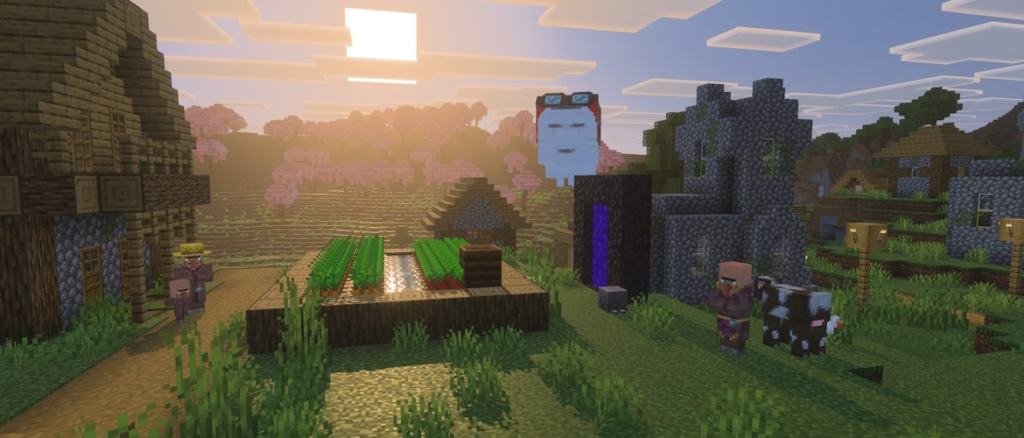
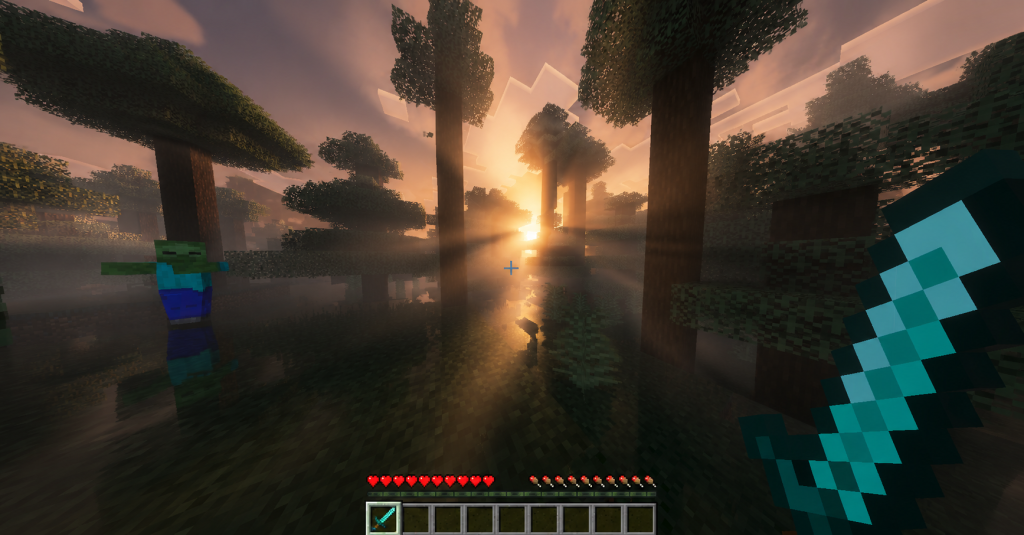
Vibrant Visuals combines several effects that work together. Directional lighting means light comes from the sun or moon in a specific direction, creating bright faces and shaded faces on blocks and casting shadows that move through the day. Volumetric fog adds visible light rays and atmosphere, especially beautiful at sunrise, in forests or in caves with light shafts. Reflections on water mirror the sky and surroundings, making oceans and lakes look alive. Point lights from torches, lanterns and glowing blocks illuminate their surroundings more naturally. PBR materials let blocks show roughness, metalness and emissive parts when a pack provides them. Together, these features change the mood of every biome: the new Dappled Forest from Wilderness Bound looks incredible with warm light through poplar leaves, and the sulfur caves from Chaos Cubed gain atmosphere with fog and glowing blocks. Because each effect has a cost, Mojang lets you adjust them individually, which is crucial for phones. Knowing what each effect does helps you decide which ones to keep when you need more frames. 🌅
🧠 Interactive concept map
📜 Origin
Built on RTX texture sets and RenderDragon. Arrived on Bedrock in 2025.
🌅 Effects
Directional light, shadows, volumetric fog, reflections, point lights, PBR.
📱 Android
Adreno 640, Mali-G68, Mali-G77, Xclipse 530 or higher.
⚙️ Tuning
Video > Graphics Mode > Vibrant Visuals Options.
🏷️ Packs
PBR packs and Marketplace content with the Vibrant Visuals label.
⚖️ vs Shaders
Official and safe vs more styles and wider device support.
👆 Tap any branch to open it
4. Which devices support it 📱
Vibrant Visuals requires capable graphics hardware. According to Mojang, supported platforms include Xbox Series X and S, Xbox One, PlayStation 4 and 5, PC, iOS and Android. On Android, the official requirement is a GPU such as Adreno 640, Mali-G68, Mali-G77 or Xclipse 530, or newer and more powerful chips. On compatible devices, Vibrant Visuals becomes the default graphics mode, while on unsupported devices the option appears unavailable. This is an important point for the Latin American community, where many players use budget phones. If your phone has an older or entry-level GPU, or a PowerVR GPU, you may not see the option at all, and many players have asked Mojang to expand support. In those cases, custom shaders through Patched or MB Loader remain the way to improve graphics. Also note that some features, like splitscreen, have had limitations with Vibrant Visuals, and the game can switch to another mode in those situations. Mojang has said it keeps testing more devices, so support may grow over time. 🔋
5. How to turn it on and tune it ⚙️
Enabling Vibrant Visuals is simple on supported devices. Open Settings, go to Video and find the Graphics Mode drop-down. Select Vibrant Visuals. Then expand Vibrant Visuals Options to adjust individual features. This is where you can find the balance between beauty and performance. If your phone heats up or frames drop, start by reducing the most expensive effects, such as volumetric fog quality, reflection quality and shadow quality, before lowering render distance. Some players keep shadows and reduce fog, others prefer the opposite; it depends on what you value most. Keep in mind that Vibrant Visuals is purely cosmetic, so it does not change gameplay, and you can play on Realms with friends who use different graphics modes. You can switch back to Fancy or Simple anytime. A practical approach is to test in three places: a forest at sunrise, a village at night with torches and an ocean at noon. If all three run smoothly, your settings are ready for long survival sessions. 🔧
6. Resource packs and the Vibrant Visuals label 🏷️
Vibrant Visuals reaches its full potential with PBR resource packs. These packs include texture sets with extra maps for roughness, metalness, emissive light and depth, which the engine reads to make materials react realistically. Mojang introduced a Vibrant Visuals label on the Marketplace so players can easily find packs designed for it, and the community also creates free packs with improved materials and tuned lighting, often called definitive or revolution style Vibrant Visuals packs. In my video about realistic textures for Bedrock, I tested several packs that work with Vibrant Visuals. Be aware of compatibility: some older Marketplace worlds and texture packs were not compatible with the mode at first, and packs made only for RTX may not look right. Classic texture packs without PBR maps still work, but they will look closer to vanilla Vibrant Visuals, just with different colors. Heavy PBR packs at high resolution can also reduce performance, so match resolution to your device. Choosing a pack made for Vibrant Visuals is the easiest way to get stunning results without complicated setups. 🎨
7. Vibrant Visuals vs custom shaders ⚖️
Many players ask which is better. The honest answer is that they serve different needs. Vibrant Visuals is official, stable, updated automatically with each version and does not require modified apps or loaders, which also makes it safer. It integrates with Marketplace content and works across platforms like consoles where custom shaders are not possible. Custom shaders, on the other hand, run on many devices Vibrant Visuals does not support, offer a huge variety of artistic styles, and can be lighter on low and mid-range phones. Some heavy custom shaders can also achieve looks that go beyond what Vibrant Visuals offers today, especially on PC with BetterRenderDragon. The downside is maintenance: after each update, like 26.50 or 26.52, custom shaders and loaders often need to be updated. My recommendation: if your device supports Vibrant Visuals and runs it smoothly, use it as your base and experiment with Vibrant Visuals packs. If not, or if you want a specific artistic style, custom shaders are still an excellent option. Many players switch between both depending on the session. 🤝
| Aspect | Vibrant Visuals | Custom shaders |
|---|---|---|
| Official support | Yes | No |
| Needs loader or patched app | No | Yes on Android and Windows |
| Works on consoles | Yes | No |
| Budget phone support | Limited | Wide with light shaders |
| Style variety | Mojang style plus packs | Huge |
| Updates after new versions | Automatic | Need new files |
| PBR support | Yes | Depends on shader |
Tap a column header to sort ⇅
8. Performance tips for phones ⚡
On phones, Vibrant Visuals can be demanding, especially during long sessions. To keep it smooth, lower render distance a little compared to Fancy mode, because each visible chunk now receives more complex lighting. Reduce fog and reflection quality first, since they are usually the most expensive effects. Avoid combining Vibrant Visuals with very high resolution PBR packs on mid-range phones. Keep your phone cool: remove thick cases, avoid charging while playing and close background apps. Disable battery saver, which can limit GPU performance. Since the Chaos Cubed drop, Bedrock also enabled texture streaming by default on supported platforms, which helps with memory, and later updates like the 26.50 betas included fixes for stuttering after long play sessions. If you notice the game becoming slower after an hour, restarting the game can help clear memory. And remember that dense biomes like jungles are harder to render with full lighting. With these tweaks, many supported phones can run Vibrant Visuals comfortably for survival. 📊
9. Vibrant Visuals for creators and builders 🎬
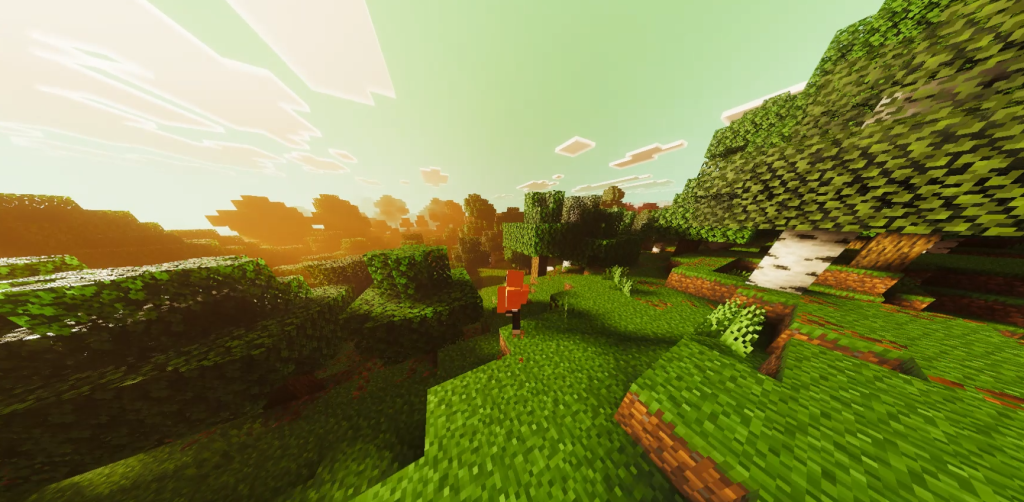
For content creators and builders, Vibrant Visuals is a powerful tool. Builds look more dramatic with directional shadows, interiors gain mood with torches and lanterns, and landscapes become cinematic at sunrise and sunset. Because it is official, viewers on any supported device can reproduce what you show, which is not always true with custom shaders that depend on specific loaders. For recording, choose times of day carefully. Golden hour lighting makes almost any build look professional. Volumetric fog adds depth to wide shots, while reflections make waterfront builds shine. When designing builds, consider how light will fall: windows that let in sunbeams, overhangs that create interesting shadows and light sources placed for atmosphere. With the new 2026 blocks like poplar wood, wool stairs, cushions and sulfur and cinnabar block sets, there are fresh materials that look great under Vibrant Visuals. If you upload builds or shorts, mention that you use Vibrant Visuals and your settings, so your audience can replicate them. It also helps your videos rank for searches about the feature. 🏗️
10. Conclusion: the future of Minecraft graphics 💚
Vibrant Visuals marks a turning point in Minecraft history: the moment Mojang officially embraced modern lighting while keeping the game's identity. Built on the lessons of RTX and RenderDragon, it brings directional light, shadows, volumetric fog, reflections and PBR support to consoles, PC and many phones, with options to tune each effect. Its main limitation is device support, which still leaves many budget phones out, and that is where custom shaders keep their place. With Java support planned for the future and new dimensions like The Sift coming in 2027, Vibrant Visuals will probably become even more important. If your device supports it, try it with a Vibrant Visuals pack and tune the options for smooth gameplay. If not, explore the light shaders I recommend for low-end phones. Watch the videos embedded in this article from my channel PAU07 to see Vibrant Visuals and shaders compared on real devices, and tell me in the comments if your phone supports it. See you in the light! 🌄