

- Version: Minecraft Beta & Preview 26.70.24 (Bedrock Edition)
- Release date: November 10, 2026
- Headline feature: Invisible Armor world setting with an eye button in the inventory
- Also new: off-hand swap control fix, Vibrant Visuals on more Android devices and Joy-Con Mouse Mode on Nintendo Switch 2
- Where to play: Beta on Android (Google Play) and Preview on Xbox, PlayStation, Windows and iOS
- Status: work-in-progress build that can be unstable
1. Minecraft Beta 26.70.24 is here: Invisible Armor arrives 🛡️
Minecraft: Bedrock Edition players can now decide whether the armor they wear is visible or not. Mojang released Minecraft Beta & Preview 26.70.24 on November 10, 2026, and the headline feature is Invisible Armor, a new world setting that lets you hide your equipped armor with a single button. It is a small change with a big impact on how your character looks: you can show off your skin in screenshots, builds and videos while keeping your armor equipped. This build also continues polishing the upcoming game drop, fixes the off-hand swap control that arrived in the previous beta, brings Vibrant Visuals to more Android devices, adds a Joy-Con Mouse Mode on Nintendo Switch 2 and includes a long list of bug fixes for everyday play. In this review we go through every important change step by step, using Mojang’s official changelog as our source, and you can watch the full PAUJITY video breakdown right above, where the Invisible Armor demo, the settings and every other novelty are explained in Spanish. 🛡️
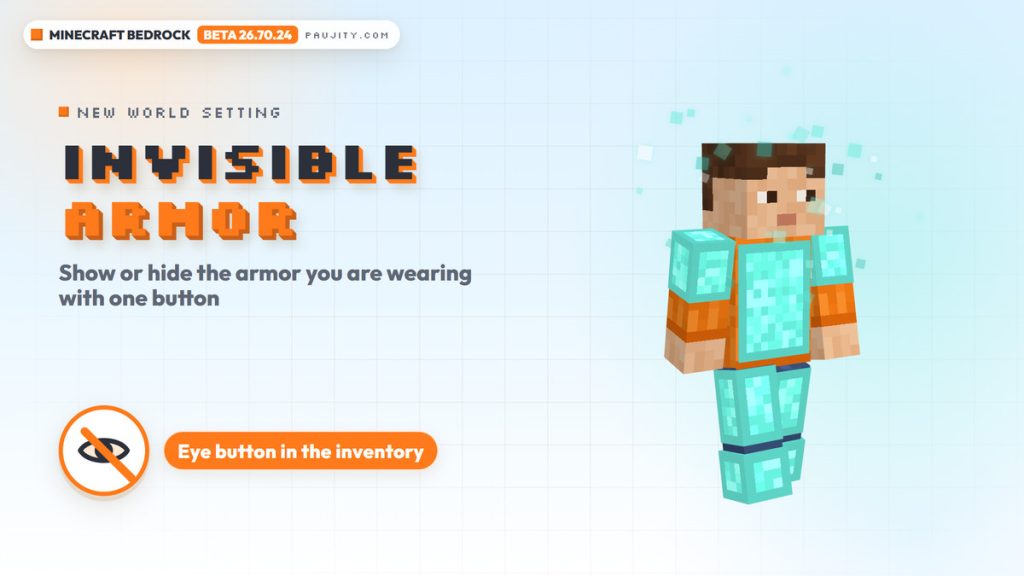
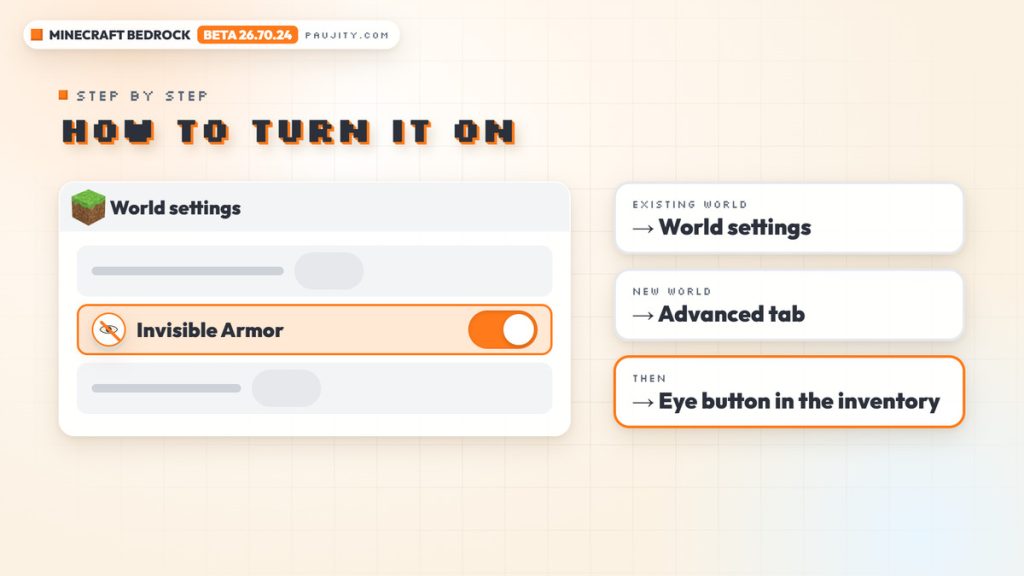
2. How to turn on Invisible Armor and use the eye button ⚙️
Turning Invisible Armor on takes only a few seconds, but it is not something that simply appears in every world, so you need to know where to look. According to the changelog, the option lives in the world settings. If you want to use it in a world you already have, open that world’s settings and enable Invisible Armor there. If you are creating a new world, you will find the same option in the Advanced tab of the world creation screen. Once the setting is enabled, a new eye button appears in your inventory, and that button is what actually shows or hides the armor you have equipped. In other words, the world setting unlocks the feature, and the eye button lets you decide how you want to look at any moment. This two-step design keeps the option tied to each world, while the button gives you quick control over your own appearance. Your armor stays in its slots the whole time, so you do not need to take it off or store it in a chest just to change your look. ⚙️
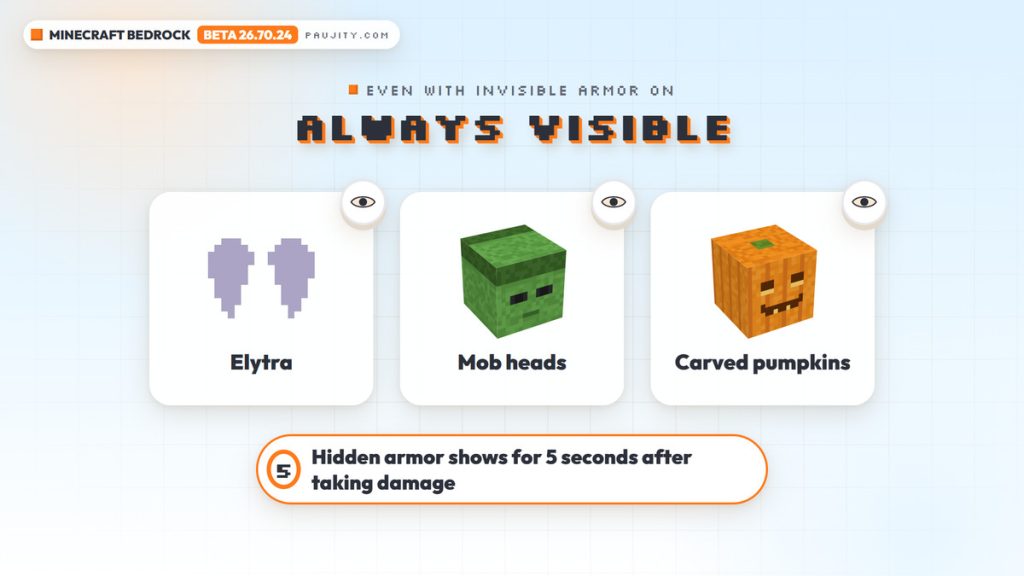
3. Damage, always-visible items and the new game rule 👁️
There are a few rules worth knowing so you are not surprised in survival. Hidden armor does not stay hidden in every situation: when you take damage, it temporarily becomes visible for 5 seconds before going back to your chosen look. Some items are also excluded from the feature: Elytra, mob heads and carved pumpkins always remain visible, even when the rest of your armor is hidden. That means your wings, your decorative heads and the classic pumpkin will still show on your character. For players who like commands and custom maps, Mojang added the invisibleArmor game rule command, so the option can also be managed through game rules. The changelog also links to an official feedback post where Mojang asks the community what it thinks about the Invisible Armor option, and since this is still a beta, the details could change before the feature reaches the full game. If you have an opinion about how it works, testing the beta and sharing it there is the best way to make your voice heard. 👁️
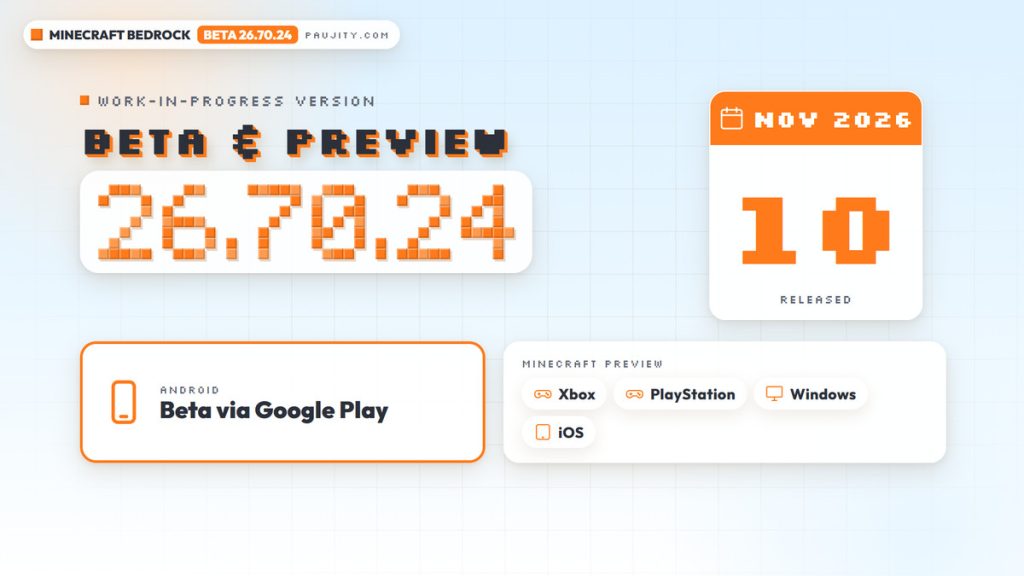
4. Release date, platforms and what a beta really is 📅
Before installing anything, it is important to understand what kind of build 26.70.24 is. Beta and Preview versions are work-in-progress builds of Minecraft: Bedrock Edition, and Mojang warns that they can be unstable and may not represent the quality of the final release, so they are not the best place for worlds you care about. This build was published on November 10, 2026, and it is distributed in two ways. On Android it arrives as the Minecraft Beta through Google Play, so you join the program from the game’s own store listing. On Xbox, PlayStation, Windows and iOS it is available as Minecraft Preview. Mojang asks players to share feedback about new features at feedback.minecraft.net and to report bugs at bugs.mojang.com, and many fixes in this changelog point to reports from that bug tracker through their MCPE numbers. You can read the complete list of changes in the official Minecraft Beta & Preview 26.70.24 changelog, which is the source for every detail in this article. 📅
5. The off-hand swap gets fixed, plus one-handed maps and photos 🤚
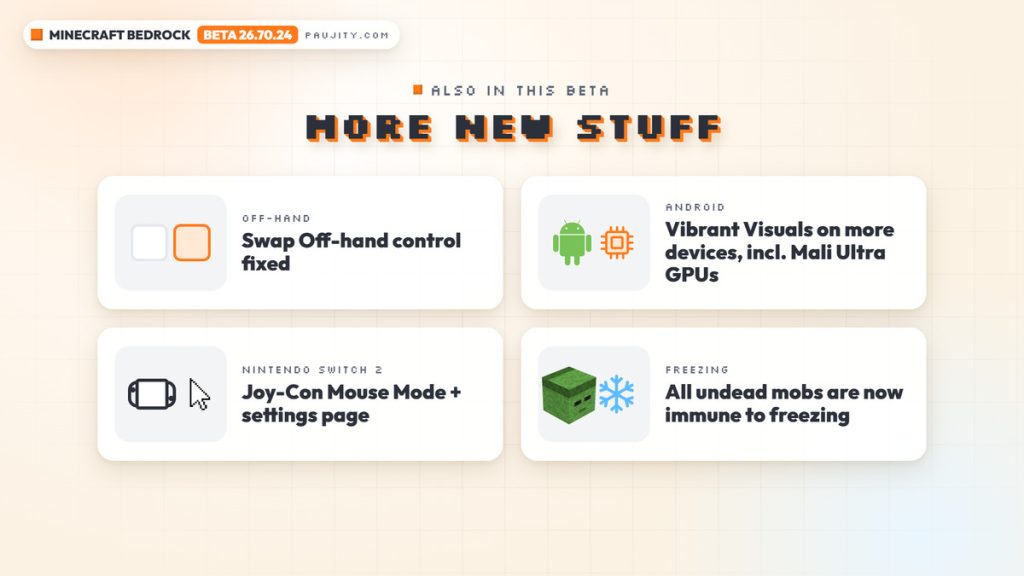
The off-hand swap was the star of the previous beta, which we covered in our Minecraft Beta & Preview 26.70.23 review, and this version already improves it. The changelog fixes an issue where the “Swap Off-hand” control mapping was not working (MCPE-244122), so the control dedicated to moving items between your hands should now respond as expected. Another change makes holding things in both hands more comfortable: maps and photos held in the main hand now use one hand in first person when the off-hand is occupied, keeping the off-hand item visible. Imagine exploring with a torch in your off-hand while reading a map: the map no longer takes both hands on screen, so you can still see what you are carrying on the other side. These are small details, but together with the new swap control they show that Mojang is actively polishing how the off-hand works on Bedrock, which is great news for players who travel with maps or take photos while carrying a second item. 🤚
6. Vibrant Visuals on more Android devices and graphics fixes ✨
Android players get one of the most exciting changes of this beta. Vibrant Visuals, the enhanced graphics option of Minecraft: Bedrock Edition, is now available on more Android devices, including devices with Mali Ultra GPUs (MCPE-231503). That means more phones and tablets can try the improved look that Vibrant Visuals offers, as long as your device is one of the supported ones. The graphics section also includes a fix for ray tracing: redstone torches now render their transparent texture areas correctly with ray tracing enabled (MCPE-230978). There is a nice detail on the menus too, because the default world preview image was updated with a new seed and new coordinates, and it is shown with or without Vibrant Visuals depending on your video settings. If you play on Android and Vibrant Visuals never appeared on your device before, this beta is a good chance to check again. Combined with the maps and photos change above, it is clear that this update cares a lot about how Bedrock looks on every screen, from small phones to big monitors. ✨
7. Freezing, Ice Balls and more polish for the upcoming drop ❄️
The frozen content of the upcoming drop, which we first covered in our Minecraft Bedrock 26.60 review, keeps receiving polish. All undead mobs are now immune to freezing from both Powder Snow and the Freezing status effect, and the rotation of Freezing particles was changed to match Java Edition. Ice Balls thrown by players no longer deal critical damage, and Ice Balls now play a break sound (MCPE-243377). Sitting in a Boat no longer cracks Brittle Ice (MCPE-243674), the in-world holding position of Icicles now matches Pointed Dripstone and Sulfur Spike, and a bug where Frostbites had an unnatural attack animation when holding a Trident was fixed. There are also organization tweaks for builders: blocks from the Calcite set now appear after their Sulfur counterparts in the Creative inventory, Packed Ice Bricks appear after Mud Bricks, and Calcite, Packed Ice Bricks and Snow Bricks drop fewer items when blown up by non-TNT explosions, like other blocks. Even the “Flurry” music disc title is now capitalized in its tooltip. ❄️
8. Bug fixes you will notice while playing 🛠️
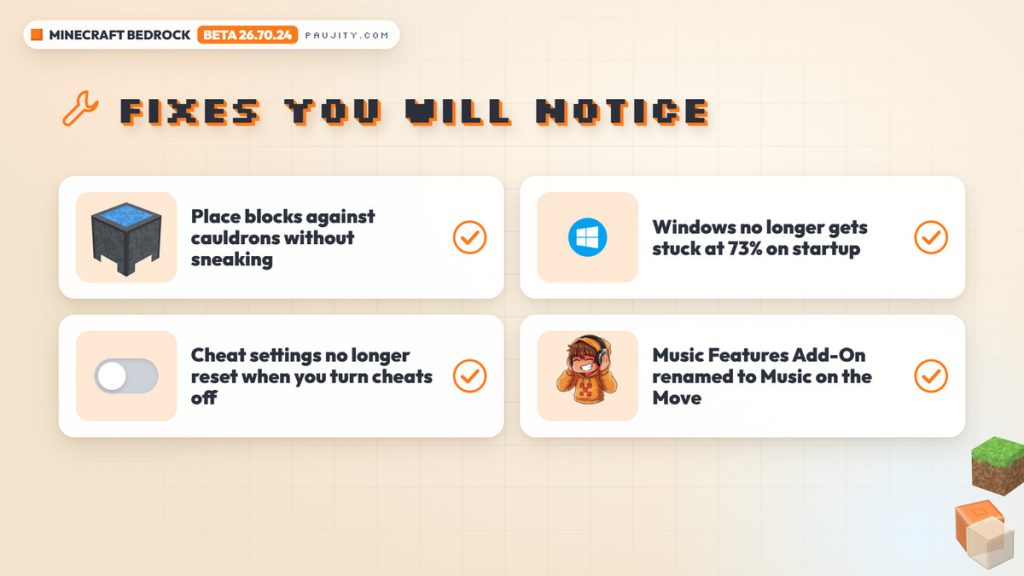
Beyond the big features, 26.70.24 includes many fixes you will notice in normal play. Players can now place blocks against Cauldrons without sneaking (MCPE-44850), and eating, charging Bows and other normal item use can proceed while aiming at a Cauldron (MCPE-117305). On Windows, an issue that could make the game get stuck at 73% during startup was fixed (MCPE-243914). Cheats are no longer reset to defaults when you set the cheats toggle to OFF, which prevents losing your cheat settings when duplicating a world. Trees now generate again in some Abandoned Camp structures, a rare crash during world generation of the Bastion Remnant in the Nether was fixed, and some slabs no longer play the wrong sound or show the wrong subtitle when merged into a double slab. Accessibility also improves: closed captions now update their direction properly, and jumping and landing on blocks displays the appropriate closed caption for all block types. Finally, the Music Features Add-On has been renamed to the Music on the Move Add-On, and it no longer shows an incorrect achievements-disabled warning when activated. 🛠️
9. Nintendo Switch 2, the Editor and news for creators 🧩
Nintendo Switch 2 players get a brand-new way to control the game: Joy-Con Mouse Mode, along with a new settings page so you can customize it. The beta also fixes crashes when completing data migration from Nintendo Switch to Nintendo Switch 2, which matters for anyone moving their worlds to the new console. Creators have plenty to explore too. The Editor adds a Guide Planes panel for placing horizontal and vertical planes that help with precise cursor placement, even in the sky or in a void, and you can show or hide all of them with Ctrl+;. It also adds world annotations, letting creators mark locations with text, drawings or comments, manage them from a dedicated pane and export notes as text or CSV. On the scripting side, the recipe crafting event APIs and the player cursor item grab and release events moved from beta to version 2.12.0, while experimental additions such as virtual containers in the beta Script API and a new climbable block component arrived for testing. 🧩
10. How to join the Minecraft Beta on Android and our verdict ✅
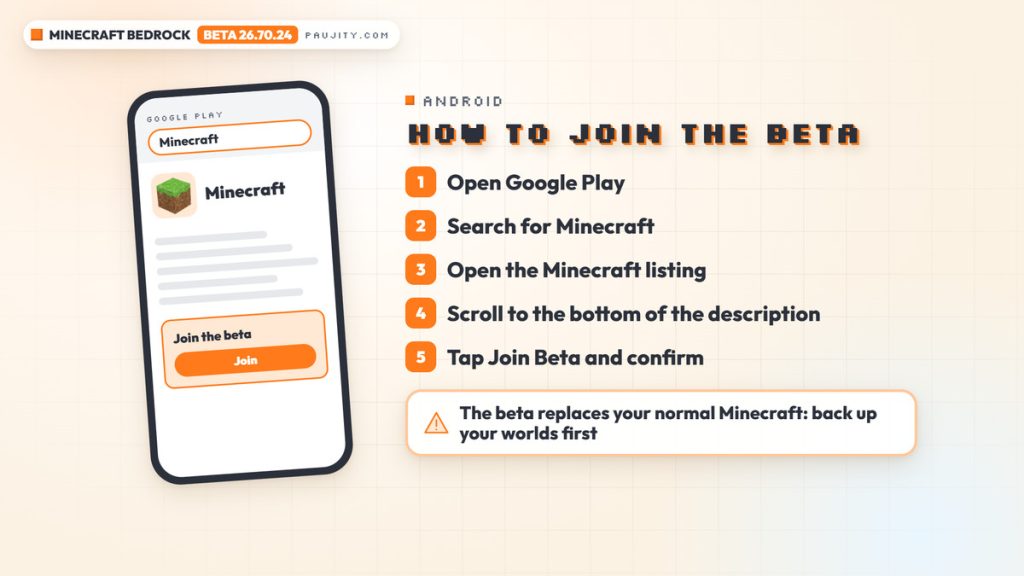
If you want to try all of this on Android, Mojang’s official help article explains the process. Open the Google Play Store app, search for Minecraft and open the game’s listing, go to the bottom of the app description, select Join Beta and confirm with Join. To leave the program later, repeat the same steps and choose Leave instead. Remember the most important warning: on Android, Minecraft Beta replaces your normal Minecraft client, so Mojang highly recommends backing up your worlds before installing it. On Xbox, PlayStation, Windows and iOS you need Minecraft Preview instead. Our verdict is very positive: Invisible Armor is a quality-of-life option many players will enjoy every day to show off their skins, the off-hand fixes make the previous beta’s big feature more reliable, and Vibrant Visuals on more Android devices plus Joy-Con Mouse Mode broaden who can enjoy Bedrock. Just remember that this is still a beta, so expect some bugs along the way. Tell us in the comments if you will hide your armor or keep it visible! ✅
- Invisible Armor world setting with a simple eye button
- “Swap Off-hand” control fixed and one-handed maps and photos
- Vibrant Visuals on more Android devices, including Mali Ultra GPUs
- Joy-Con Mouse Mode on Nintendo Switch 2
- Beta and Preview builds can be unstable
- Invisible Armor has to be enabled in each world’s settings
- Hidden armor shows again for 5 seconds after taking damage
- On Android the beta replaces your normal game, so back up your worlds