

Minecraft Chaos Cubed: The Sulfur Update for Android, Explained
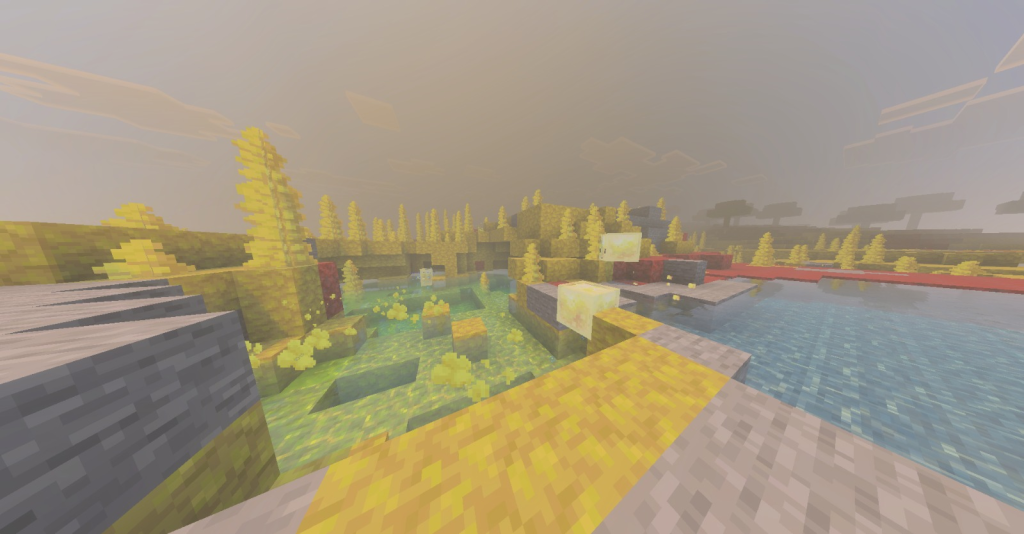
If you play Minecraft Bedrock on Android and you keep hearing about “sulfur,” here’s the short version: it all comes from Chaos Cubed, the game drop that arrived in Bedrock Edition 26.30 (and Java Edition 26.2) on June 16, 2026. Everything since then — including the tiny 26.33 hotfix — is built on top of it. This is the update that turned the underground into a physics playground.
Best of all, it’s a free update. If you already own Minecraft, you just update the app from Google Play and you’re in. There’s nothing to buy.
What version am I actually looking for?
Since 2026, Minecraft numbers its versions by year, so everything this year starts with “26.” The sulfur content is 26.30. Later builds like 26.31, 26.32, and 26.33 are hotfixes that fix bugs but don’t add new content. So on Android you want 26.30 or newer — grab the latest available and you’ll have all the sulfur features plus the fixes.
The headline: Sulfur Caves
Chaos Cubed adds a brand-new underground biome called the sulfur caves. It generates at roughly the same depth as lush and dripstone caves, but it’s smaller and more broken up, tucked inside hills and mountains rather than under oceans or high peaks.
You don’t have to dig blind to find one. On the surface, keep an eye out for sulfur springs — bright, bubbling pools that act as a visual marker for a sulfur cave sitting somewhere below. Spot a spring, dig down, and you’ll usually find the biome underneath.
Inside, the caves are full of color: yellow sulfur blocks, red cinnabar blocks, jagged sulfur spikes, and the star of the show — the sulfur cube.
The Sulfur Cube: a mob that changes its own physics
The sulfur cube is a passive, block-eating mob, and it’s the most creative thing in the update. Instead of behaving one fixed way, it absorbs a block and takes on that block’s physical personality. Feed it different blocks and it can turn bouncy, slippery, heavy, sticky, explosive, hot, or floaty.
You can push it, punch it, leash it, shear it, or even scoop it into a bucket to carry it around. That opens the door to homemade contraptions and mini-games — bounce pads, slippery slides, explosive traps — that feel like Minecraft suddenly discovered toy physics. Dispensers can now load a block into a cube, and shears can pull a block back out, so you can reprogram your cube on the fly.
Two new building block sets
Builders get two complete stone families straight out of the caves:
- Sulfur — yellow blocks, with the full lineup of stairs, slabs, walls, polished versions, bricks, and chiseled variants.
- Cinnabar — red blocks, with the exact same range of shapes and finishes.
Between the two, that’s a lot of new color for anyone who’s tired of building in stone and deepslate.
Geysers and potent sulfur
There’s also potent sulfur, a craftable variant (nine sulfur blocks) that generates naturally underwater in sulfur pools. Place it underwater and it puffs out bubbles and a cloud of noxious gas at the surface — get too close and you’ll catch Nausea. Set it up over a magma block or lava source, though, and it erupts into a working geyser. It’s equal parts hazard and toy.
Extras worth knowing
Chaos Cubed isn’t only about caves:
- Music: several new tracks were added, plus a collectible disc called “Bounce” — found in chest minecarts inside abandoned mineshafts within the sulfur caves.
- Multiplayer: Bedrock got Parties fully released and a new Realms Hub, making it easier to group up and travel together across worlds and servers.
- Quick start: Bedrock world creation includes a Sulfur Cave seed template, so you can spawn right next to the new biome instead of hunting for it.
Where Chaos Cubed fits in 2026
Chaos Cubed is the second of three planned drops for 2026. The first was Tiny Takeover (baby mob variants earlier in the year), and the third — teased as the Dappled Forest, an autumnal surface biome with poplar trees — is still on the way with no confirmed date. Chaos Cubed is available across all current versions of Minecraft, so single-player, local multiplayer, servers, and Realms all get it.
Minecraft Sulfur Update Part 2: The Complete Sulfur Cube Guide
In Part 1 we walked through the whole Chaos Cubed drop (Bedrock 26.30) — the caves, the blocks, the geysers. Now it’s time for the deep dive on the mob everyone’s actually talking about: the sulfur cube. This is the hands-on guide — how to find one, how to feed it, and exactly what each block turns it into.
What the sulfur cube actually is
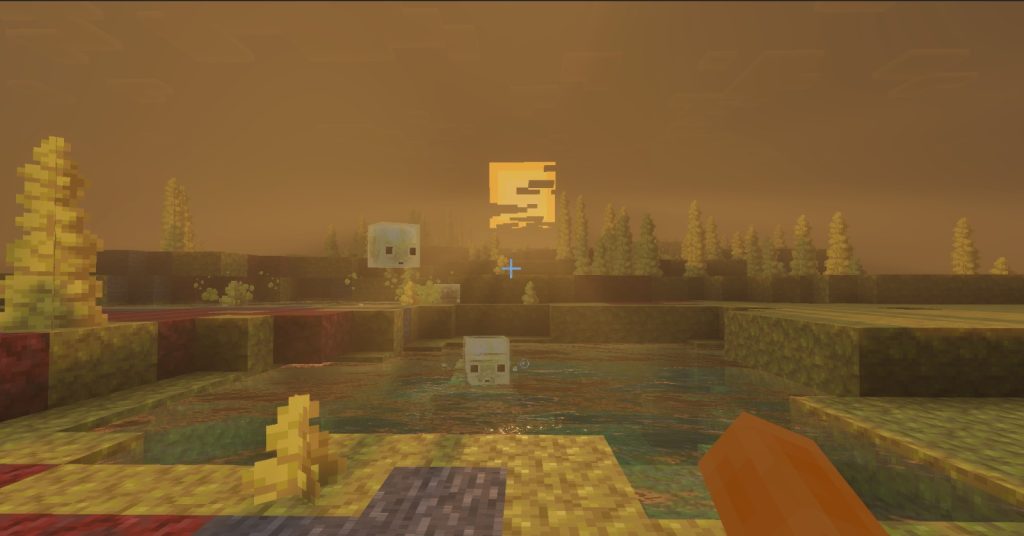
The sulfur cube is a passive, slime-like mob that spawns naturally in the sulfur caves. On its own it just hops around slowly and looks like a transparent box with an ambiguous little face. The magic starts when it absorbs a block: it takes on that block’s physics and turns into a bouncing, sliding, sticking, or exploding object depending on what went in.
A few core rules to know before you start:
- It can absorb blocks you drop on the ground, blocks you hold out to it, or blocks fired at it from a dispenser.
- Shears pull the block back out, resetting the cube so you can try something new.
- You can push, punch, leash, or scoop it into a bucket to carry it around.
- If it dies with a block inside, it drops that block as an item — which another cube can then absorb.
- Fire, lava, and suffocation still kill it regardless of what it’s holding, so mind the hazards down there.
Finding a sulfur cube
The cubes live only in the sulfur caves, so the fastest route is:
- On the surface, look for a sulfur spring — a bubbling pool that marks a cave below.
- Dig down until you hit the yellow-and-red sulfur cave biome.
- Watch your footing around noxious gas and geysers, then look for the cubes hopping around.
If you’d rather skip the search entirely, Bedrock’s world creation now includes a Sulfur Cave seed template that spawns you right next to one.
The archetypes: what each block does
Feeding the cube different blocks unlocks different “archetypes.” Here are the ones worth knowing:
Bouncy — feed it wood. Moves fast, bounces high, keeps most of its speed on impact, and floats in water. The classic all-rounder for a bouncing ball.
Slow Bouncy — feed it stone, concrete, brick, or ore blocks. Still very bouncy, but slower with more air drag, which makes for a controlled, predictable bounce.
Regular — feed it most natural blocks (concrete powder, mud, grass, clay, bone block, and anything not tied to a special archetype). Balanced football-style physics. Great as a kickable ball — white glazed terracotta even makes it look like a soccer ball.
Sticky — feed it a honeycomb block. It launches up on impact but then refuses to bounce or slide, gripping in place like a beanbag. Handy anywhere you want something to stay put.
Slippery / Sliding — feed it ice. Near-zero friction, so it slides fast and far along a prepared track. Perfect for curling-style minigames.
Light — feed it wool. Much lighter: it bounces high but moves slowly and loses speed quickly in the air, like a beach ball.
Hot — feed it a magma block. It damages nearby players and mobs on contact, exactly like standing on magma, and floats in water. Good for automatic damage zones or defensive perimeters — and dangerous to be near.
Explosive — feed it TNT. It won’t go off by itself; you ignite it with flint and steel, fire, or a redstone signal. Once lit manually it has a 6-second fuse (about 120 game ticks), while a nearby explosion sets off a shorter, random fuse of roughly 0.75–3 seconds. It respects the TNT Explodes and Mob Griefing game rules — and yes, feeding it TNT unlocks the “Uh oh!” advancement. Always test in a safe area.
Beyond these, there are a few extra movement variants (faster and slower “flat” versions, and a high-resistance type), so it’s worth experimenting with blocks that aren’t on this list to see what you get.
Creative things to build with it
The whole point of the cube is play, and it’s especially fun in multiplayer:
- Sports minigames — a wood or regular cube makes a natural ball for football-style matches; an ice cube turns curling into a real event.
- Redstone contraptions — dispensers can auto-feed cubes, so you can build machines that swap a cube’s behavior on the fly.
- Traps and puzzles — an explosive cube is a mobile bomb; a hot cube is a moving hazard; a sticky cube can hide trapdoors or lock things in place.
- Racing tracks — slippery and bouncy cubes behave completely differently on the same course, which is half the fun.
Quick tips before you go
- Test explosive and hot cubes in Creative or a boxed-off area first — they don’t come with an undo button.
- Keep shears on your hotbar so you can reset a cube instead of losing it.
- Use a bucket to transport a good cube back to base rather than herding it the whole way.
That’s the sulfur cube from top to bottom. Grab a bucket, head into the caves, and start feeding it things — the worst that happens is a small, educational explosion.