

🔥 Magic Loader just received one of its most important updates so far, and it brings news for both PC and mobile players. On Windows, the new Magic Loader 0.1.3 build fixes bugs, improves performance by around 15% and adds experimental ray tracing and DLSS. On mobile, the app has officially landed on the Google Play Store for Android as an early access beta, which means you no longer need to hunt for files around the internet to try Java shaders in Minecraft Bedrock on your phone. In this article I break down everything that changed in this version, explain what each new feature actually means for your game, and show you step by step how to join the beta testing group and install Magic Loader from the Play Store without the classic “app not available” error. If you prefer to watch, the full video is right above, and every screenshot in this post comes straight from it, so you can follow along with exactly what I showed while reviewing the update.
⏱️ Reading time: about 10 minutes · 🧩 Version: Magic Loader 0.1.3 (Windows) + early access (Android) · 📱 Platforms: Windows and Android
📌 In this guide:
1. What Is Magic Loader? 🎨
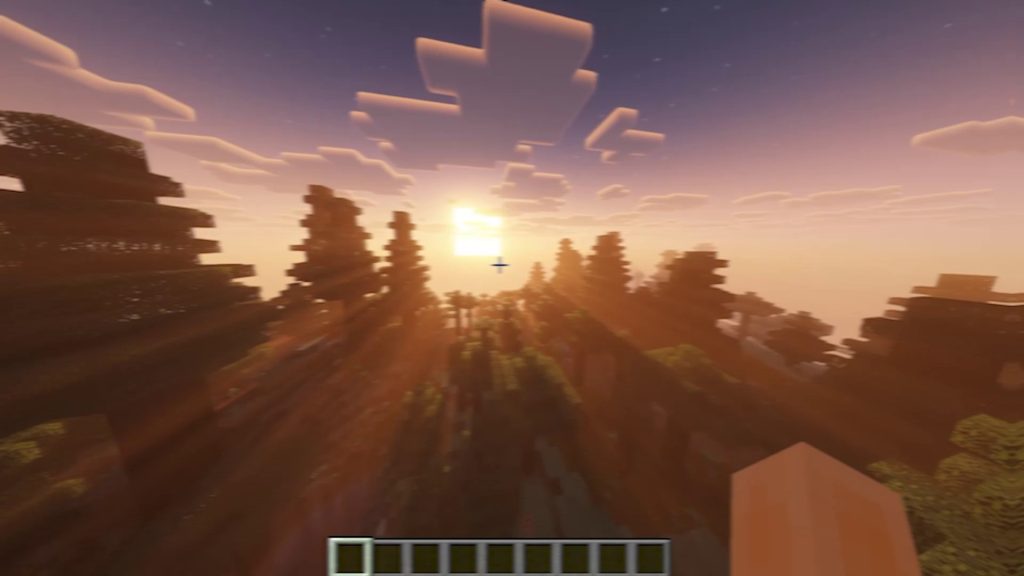
For anyone who is new here, Magic Loader is a tool that lets you load Java Edition shaders natively in Minecraft Bedrock. For years, Bedrock and Minecraft PE players have watched Java players enjoy famous shader packs like Complementary and BSL while they were limited to RenderDragon-compatible packs, the official Vibrant Visuals look, or the RTX mode that needs specific Windows hardware. Magic Loader changes that by letting those Java-style shader packs run inside Bedrock, so you can get real-time shadows that follow the sun, warm volumetric light rays (the famous god rays) breaking through the leaves, dynamic lighting, more realistic skies and water, and that cinematic look that made Java shaders so popular in the first place. The screenshot below was taken in a Bedrock world at sunset with Magic Loader active, and you can see how the light spreads through the taiga forest in a way vanilla Bedrock simply cannot reproduce. If you want the full introduction, including how to load Complementary, BSL and other packs, watch my previous video, Java Shaders in Minecraft Bedrock with Magic Loader, and my list of the Top 5 shaders for Magic Loader.
2. Magic Loader 0.1.3 for Windows: Full Changelog 🖥️
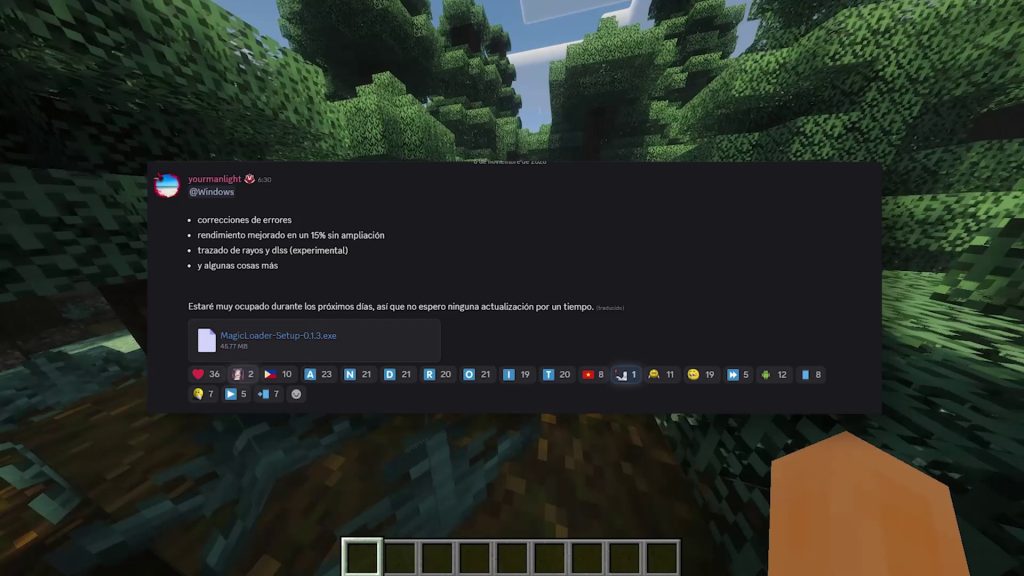
The Windows side of this update arrived as MagicLoader-Setup-0.1.3.exe, an installer of roughly 48.8 MB that the developer shared in the official Discord server in early November 2026. The changelog is short but meaningful, and it lists four points: bug fixes, performance improved by 15% without upscaling, ray tracing and DLSS as experimental features, and “a few more things” that were not detailed. The bug fixes are especially welcome, because previous builds could show bugs and performance problems for some players depending on their PC and the shader pack they were using. In the video you can see the update running in a dense taiga forest at sunset, one of the heaviest scenes for any shader because of the huge amount of leaves, shadows and light rays on screen, and the shader keeps its full look. Keep in mind that the developer also wrote that they would be very busy over the next few days and did not expect to release more updates for a while, so 0.1.3 may be the main Windows version for some time. That makes it a good moment to update, test it carefully and report anything strange in the Discord, because the feedback gathered now will shape the next build.
3. 15% More Performance Without Upscaling ⚡
The headline number of this release is the 15% performance boost without upscaling, and the wording matters. “Without upscaling” means the improvement comes from Magic Loader itself running more efficiently, not from rendering the game at a lower resolution and stretching the image back up to fill your screen. In practice, that 15% applies at your native resolution, before you even think about turning on any extra tricks, so it should benefit everyone, including players whose graphics cards cannot use DLSS at all. Shaders are among the most demanding things you can add to Minecraft, because shadow maps, volumetric light and reflections are recalculated every single frame, so even a modest gain can be the difference between a choppy experience and a playable one. As a simple example, a scene that ran at 40 FPS would move to roughly 46 FPS, which is enough to make camera movement feel noticeably smoother or to raise the render distance a couple of chunks without losing fluidity. Exact results always depend on your hardware, the shader pack and its settings, so the best approach is to compare your FPS in the same spot of the same world before and after updating. If you want to squeeze even more frames out of Bedrock, my guide on disabling V-Sync and boosting FPS in Minecraft Bedrock 26.60 works great alongside Magic Loader.
4. Experimental Ray Tracing and DLSS 💡
The most exciting additions are ray tracing and DLSS, both clearly labeled as experimental. Ray tracing simulates how light really travels and bounces around a scene, which produces more believable reflections, softer and more accurate shadows, and light that spills naturally from one surface onto another. According to the release notes published with the Android update, Magic Loader’s new ray tracer was designed to keep the original Minecraft look, so the goal is not to turn your world into a different game, but to make the blocky style you already love look more natural under realistic lighting. DLSS is NVIDIA’s AI upscaling technology: the game renders at a lower internal resolution and an AI model reconstructs a sharper image, recovering a big part of the performance that ray tracing costs. On PC, DLSS generally requires an NVIDIA RTX graphics card, so not every player will be able to use it. The word “experimental” is important here, because these features can show visual glitches, flickering, crashes or even lower performance on some systems. My recommendation is to try them, take screenshots, and turn them off if anything looks broken, then share what you find in the Discord, since early testers are the ones who help these options become stable for everyone.
5. Magic Loader Arrives on Google Play 📲
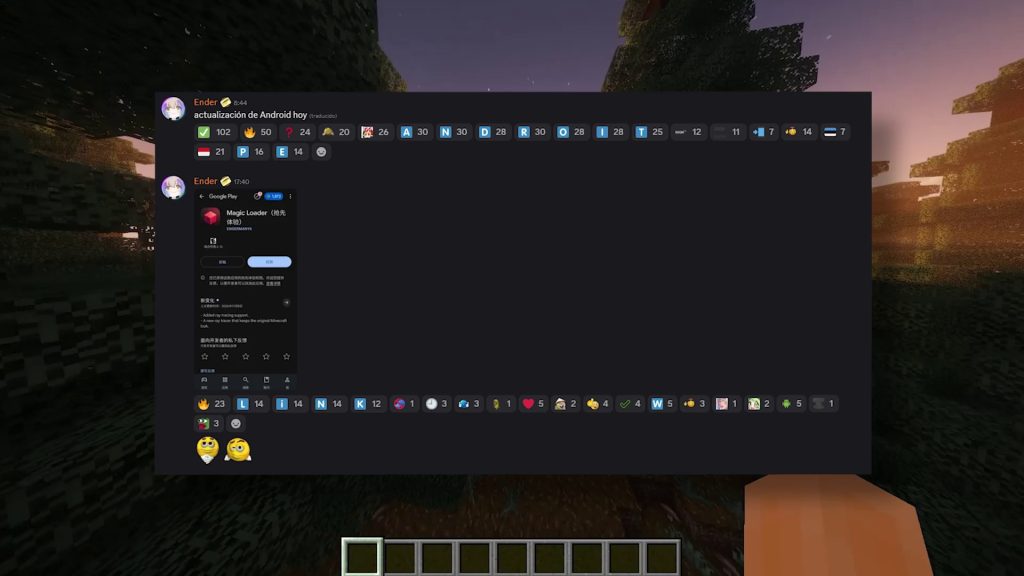
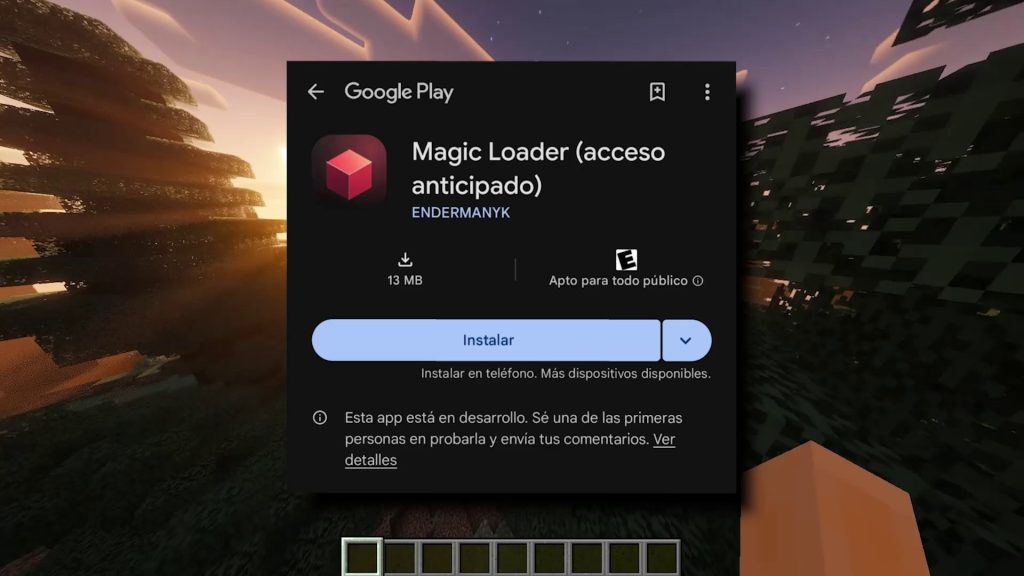
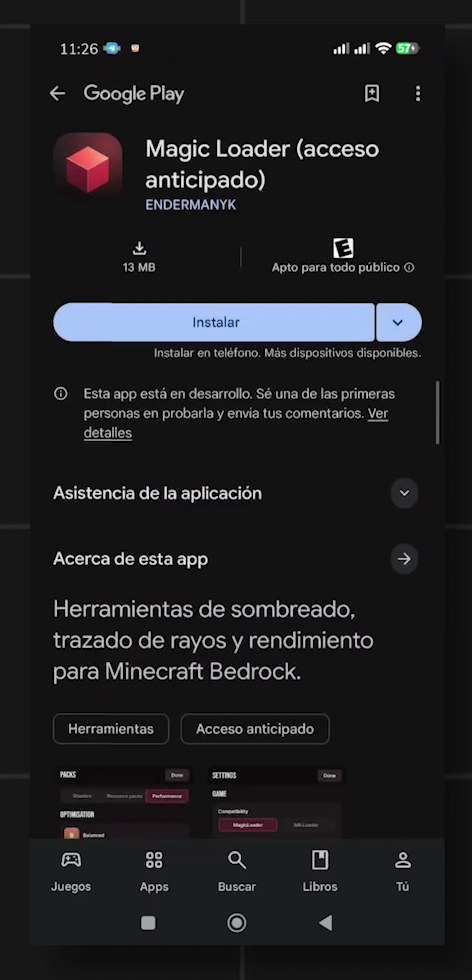
The biggest news for mobile players is that Magic Loader is now on the Google Play Store. The development team announced an Android update on their Discord, and shortly after, the app appeared on Google Play under the name Magic Loader (early access), published by ENDERMANYK. The store listing describes it as shading, ray tracing and performance tools for Minecraft Bedrock, the download weighs only about 13 MB, and it is rated for everyone. The release notes on the store confirm that the Android version also received ray tracing support with the new ray tracer that preserves the classic Minecraft style. Being on the official store changes a lot for players: you install it like any other app from a source you already use every day, and future builds reach you as regular Play Store updates instead of having to download and replace files manually every time a new version comes out. It is also a sign that the project is growing, because publishing on Google Play means following the store’s rules and keeping the app maintained over time. For a tool that started as something mostly PC players could enjoy, getting an official Android release is a huge step forward for the Bedrock shader community.
6. What Early Access Means for You 🧪
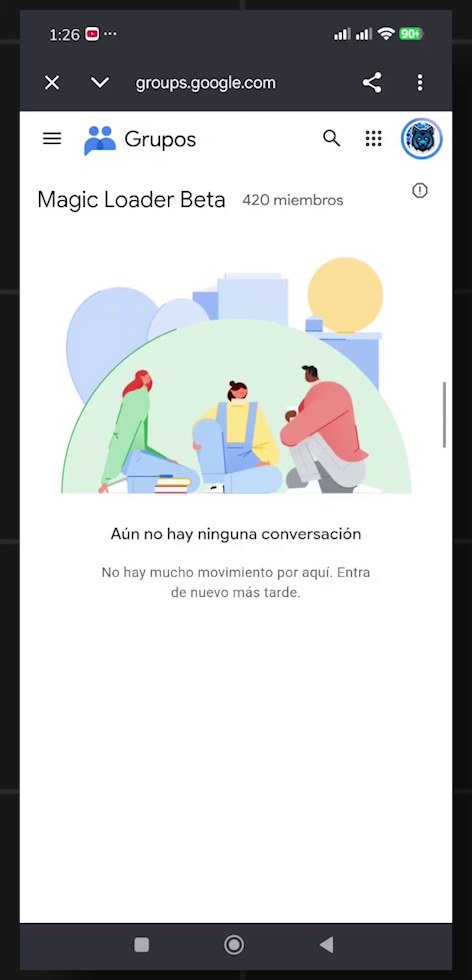
It is important to understand what early access means before you install anything. Google Play shows a notice saying that the app is still in development and invites you to be one of the first people to try it and send your feedback. In other words, this is a beta test: features can change from one update to the next, some phones may not run it correctly yet, and you may run into bugs the developers have not seen. That is exactly why this phase exists. Hundreds of players are already in the testing group, which had about 420 members when I recorded the video, and every report helps the team understand which devices, GPUs and Minecraft versions need more work. If you join, the best thing you can do is leave honest feedback through Google Play and the Discord, mentioning your phone model, Android version and the shader you were using. Also remember that you are testing pre-release software, so it is smart to back up your favorite worlds before experimenting with new shaders, and to avoid judging the final performance of Magic Loader on Android by this first public beta alone. Early access is the starting line, not the finish.
7. How to Install Magic Loader on Android Step by Step 🛠️
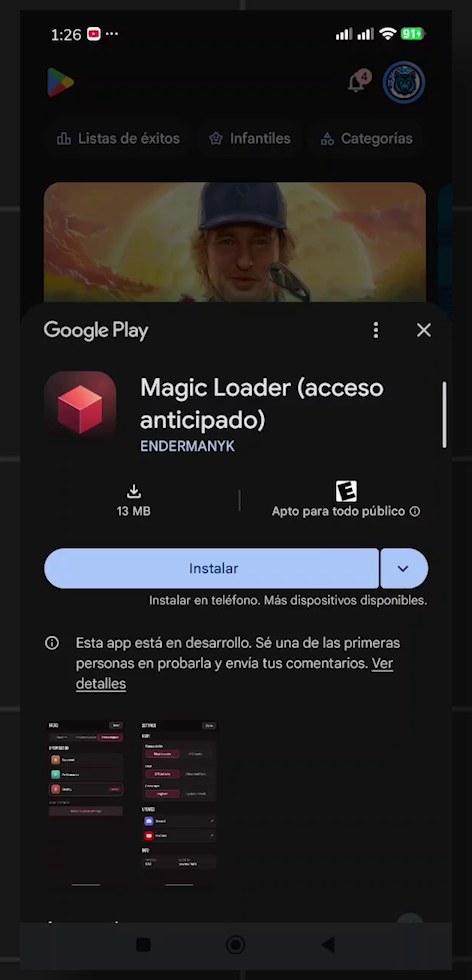
Installing Magic Loader on Android is easy, but there is one step most people skip, and it is the reason the app “does not appear” for them or the Play Store link shows a not found page. Because this is a closed beta, you must first join the testing group with the same Google account you use on the Play Store. Step one: open the Magic Loader Beta Google Group with the button below and tap Join group; if you are already a member, like me in the screenshot, you will simply see the group page. Step two: wait a few minutes, because Google can take ten minutes or more to give your account access to the beta. Step three: open the Google Play link below, and you should now see Magic Loader (early access) with the Install button. Step four: tap Install and wait for the download to finish. If the store still says the app is not available, do not panic: double-check that you joined the group with the right account, wait a little longer, close the Play Store completely and open the link again. Doing it in this exact order, group first and store second, is the key to making it work, and the developers also share news and fixes for every new build in their Discord server.
8. Known Issues: What to Do If Something Breaks ⚠️
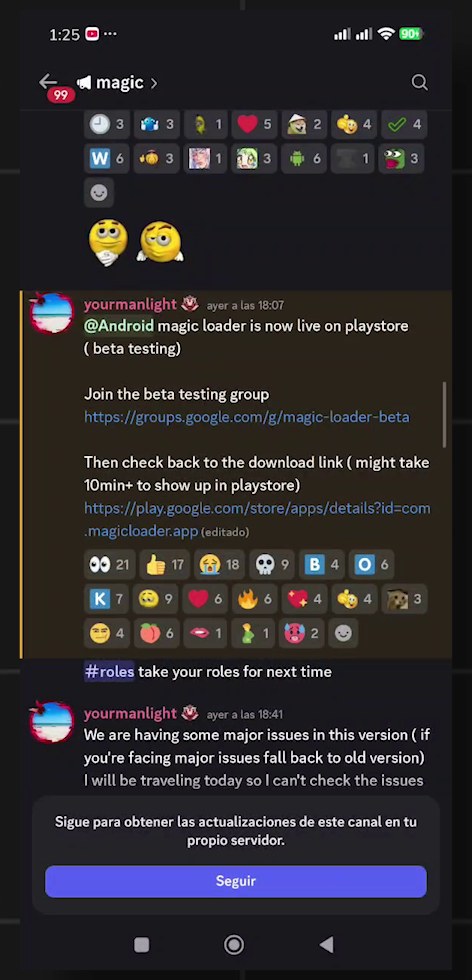
Shortly after the Play Store launch, the developer posted a warning that this version has some major issues for certain players, and recommended going back to the old version if you are affected. They also mentioned they would be traveling that day and might not be able to check reports right away. So if Magic Loader crashes, shaders fail to load, or performance is worse than before, the safest move on Windows is to uninstall 0.1.3 and reinstall the previous build that worked for you, then wait for the fix. On Android, if the beta gives you serious problems, uninstall it for now and keep an eye on the Discord, since new builds reach testers through Google Play as normal updates. Before you report a problem, write down your device, operating system, Minecraft Bedrock version, shader pack and the exact steps that cause the error, because reports with those details are far easier for developers to reproduce and fix. Screenshots or a short screen recording help even more. And please be patient and respectful in the community: this is a project in active development, and early access releases exist precisely to catch these problems before a wider public launch, so every clear report makes the next version better for all of us.
9. Final Thoughts 🔥
This update shows how fast Magic Loader is evolving. In a very short time it went from a PC tool to a project with bug fixes, a 15% performance gain, experimental ray tracing and DLSS, and an official early access release on Google Play that any Android player can join in a few minutes. For Minecraft Bedrock and MCPE fans that is huge: the dream of playing with Java-quality shaders on the edition most of us actually play every day is getting closer with every version. My advice is simple: update on PC if the new features interest you, join the beta on Android if you enjoy testing new things, and follow the Discord for the next builds. I will keep testing every new version, along with the best shader packs to use with it, so make sure you are subscribed to the PAUJITY YouTube channel and come back to the blog for more guides. If you are looking for other ways to improve your visuals, you can also read my guide on how to download and install shaders in Minecraft Bedrock and PE. Tell me in the comments which shader you want to see running on Android next!