

1. The old divide between editions 🧱
For more than a decade, Minecraft lived as two different games that only looked similar. Java Edition was the original PC version, while the mobile version began in 2011 as Pocket Edition, a smaller and simplified copy built for phones. Over the years Pocket Edition grew, absorbed the console and Windows 10 versions, and in 2017 the Better Together update unified them under the name Bedrock Edition, with crossplay between phones, consoles and PC. But one thing stayed separate for a long time: world generation. If you typed the same seed in Java and in Bedrock, you got two completely different worlds. Players on phones would watch a Java YouTuber show an amazing seed, try it on their device, and find nothing at all. This created a lot of confusion, especially in Latin America, where most players are on mobile while many big creators recorded on Java. Understanding why this happened, and how it changed, is the first step to using seeds correctly today. The short version is that the two editions have different engines, and only recently did Mojang decide to make their worlds match. 📜
2. Two codebases, two histories 💻
The reason behind the divide is technical. Java Edition is written in the Java programming language, while Bedrock is written in C++, which allows it to run efficiently on phones, consoles and Windows. Because they are separate codebases, every feature has to be implemented twice, and small differences appear naturally. For years, Bedrock even used a different way of handling random numbers, so the same seed simply produced different results. On top of that, Bedrock historically supported a smaller range of seed values than Java, so very long Java seeds did not even fit. Mojang has worked for years on a project known informally as parity, bringing features, behaviors and visuals closer together. Some differences remain on purpose, such as redstone quirks or combat details that each community is used to. But world generation was one area where the gap was too visible to ignore. As the game moved toward shared updates for both editions, having worlds that matched became important for creators, educators and anyone who plays on more than one device. ⚙️
3. What 1.18 unified 🌍
The turning point arrived in late 2021 with Caves and Cliffs Part II, version 1.18. This update rewrote the terrain generator from scratch for both editions at the same time, which was the perfect opportunity to align them. Since then, the same numeric seed generally produces the same landforms and biome layout on Java and on Bedrock. Mountains rise in the same places, rivers follow the same paths, and a jungle on one edition is a jungle on the other. Modern Bedrock also accepts the long seed values that Java players usually share, so you can copy a Java seed straight into your phone. This was huge for mobile players, because it meant that the massive library of Java seed content suddenly became useful, at least for terrain. It also helped families and friends who play on different devices, since they can start worlds that look the same and compare progress. If you remember being disappointed by a seed that did not work on your phone before 2021, it is worth trying again today, because the foundation of the world is finally shared. ✨
🧠 Interactive concept map
✅ Same
Landforms, rivers, caves shape and biome layout.
⚠️ Different
Structure placement, chest loot, small decorations.
💻 Engines
Java is written in Java, Bedrock in C++. Every feature is built twice.
📅 Versions
Wilderness Bound = Java 26.3 and Bedrock 26.50.
🗺️ Seed maps
Pick Bedrock in the tool and confirm in a Creative test world.
🌐 Crossplay
On Geyser servers the Java server generates the world.
👆 Tap any branch to open it
4. What still differs today ⚠️
Parity is real, but it is not total. The biggest difference is structures. Villages, temples, shipwrecks, ruined portals, strongholds and other buildings are placed by separate systems, and these can appear in different positions or not appear at all on the other edition. Chest loot can also differ, so a buried treasure that gives diamonds on Java might give other items on Bedrock. Small decorations like trees, flowers and grass patches are another source of variation, which means a seed can have the same mountain but a different forest on top. Mob spawning rules and some farm designs behave differently too, although those are not about seeds. Finally, each edition receives drops with different version numbers. For example, the 2026 Wilderness Bound drop is Java 26.3 and Bedrock 26.50. If you compare worlds created on mismatched versions, you will see extra differences. So the golden rule is: trust terrain and biomes across editions, verify everything else in your own game before you plan your survival around it. 🔍
5. Reading seeds correctly 🔢
Copying a seed sounds simple, but mistakes are common. Java seeds are often long numbers that can be negative, so the minus sign at the start matters. If you forget it, you get a different world. Text seeds are converted into numbers, and both editions should handle the same text the same way in modern versions, but capital letters and spaces still count. Another frequent mistake is mixing up the seed with coordinates. Coordinates tell you where something is inside a world, while the seed tells you which world it is. Many videos show both on screen, so take a screenshot. On Bedrock you can see your current seed in the world settings, which is useful when you want to share your own world. If you play on a Realm or a server, the seed may be hidden unless the owner shares it. When you find a seed online, look for three details: the number itself, the edition it was tested on, and the version. If any of the three is missing, treat the promise with healthy suspicion until you test it in Creative mode. 📝
6. Seed map tools on Bedrock 🗺️
One of the best things about parity is that online seed map tools became useful for mobile players. Websites such as Chunkbase let you enter a seed, choose your edition and version, and see biomes and many structures on an interactive map. For Bedrock players this means you can plan a whole survival world from your browser: where the nearest village is, which direction leads to a mushroom island, or where a Dappled Forest might appear in newer versions once the tools update. Always select Bedrock in these tools when available, because structure positions can differ from Java. Also be aware that new drops take time to be added to third party tools, so very recent features may not appear immediately. Use these maps as a guide, not as a promise, and confirm with your own eyes in the game. A good habit is to check the map, write down the coordinates of the most important points, and then visit them in a Creative test world before starting your real survival. This turns seed hunting into a precise and fun planning session. 💻
7. Crossplay servers and whose rules apply 🌐
In the Latin American community, many popular survival servers allow players from Java and Bedrock to join together, like the ones I show in my server videos. These servers usually run on Java software and use a bridge such as Geyser to translate Bedrock connections. This detail matters for seeds: on a crossplay server, the world is generated by the server software, not by your phone. So the structures you see follow the server rules, even if you play from Bedrock. That is why a Bedrock player on a Java based server might find villages where a Bedrock single player world would not have them. It also explains why some blocks or features look slightly different or arrive later on these servers, since the server has to support each new version. If you are choosing a server for a long survival, look at which version it runs and whether it supports the latest drops. Servers that advertise Bedrock 26.52 and Java 26.3 compatibility, for example, are keeping up with the current Wilderness Bound content. 🔗
| Element | Same on both? | Notes |
|---|---|---|
| Terrain shape | Yes | Aligned since 1.18 |
| Biome layout | Yes | Same temperature and humidity layers |
| Villages and temples | Not always | Separate placement systems |
| Chest loot | No | Different loot rolls |
| Trees and flowers | Partly | Decorations can vary |
| Version naming | Different numbers | Same drop: 26.3 Java, 26.50 Bedrock |
| Crossplay server world | Server rules | Generated by server software |
Tap a column header to sort ⇅
8. Year-based versions on both editions 📅
Another change that helps parity is the new year-based version numbers. In 2026 Mojang moved both editions to a format where the first number is the year, so instead of 1.21 we now talk about versions like 26.1, 26.2 and 26.3 on Java and 26.10, 26.30 and 26.50 on Bedrock. The numbers are still different between editions, but each pair corresponds to the same game drop: Tiny Takeover, Chaos Cubed and Wilderness Bound. For seed hunters, this makes it easier to know which versions are comparable. If a seed was tested on Java 26.3, the matching Bedrock version is 26.50 or its hotfixes 26.51 and 26.52. Hotfixes generally fix bugs rather than world generation, so seeds stay stable across them. Before the change, matching versions required memorizing long lists, and many players got lost. Now, if you remember which drop introduced a feature, you can quickly figure out whether a seed from another edition will include it, which saves time and avoids disappointment. 🧮
9. A practical workflow for mobile players ✅
Here is a simple method I recommend. First, find a seed from a source that lists the edition and version. Second, if it is a Java seed, open a seed map tool, select Bedrock and check that the terrain and the structures you care about are still there. Third, create a Creative test world on your phone with that seed, fly to the key coordinates and confirm. Fourth, take screenshots of the important places with coordinates visible, and save the seed in a note together with the version. Finally, create your real survival world. If you play on Windows with Bedrock, you can do the testing on PC with a mouse and keyboard, which is faster, and then play the same seed on your phone. In my video about the best Bedrock launcher for Windows I explain how to run different Bedrock versions on PC, which is useful when you need to test a seed on a specific version. This workflow takes ten minutes and prevents the classic situation of walking for an hour toward a village that only exists on Java. ⏳
10. Conclusion: one world, two editions 💚
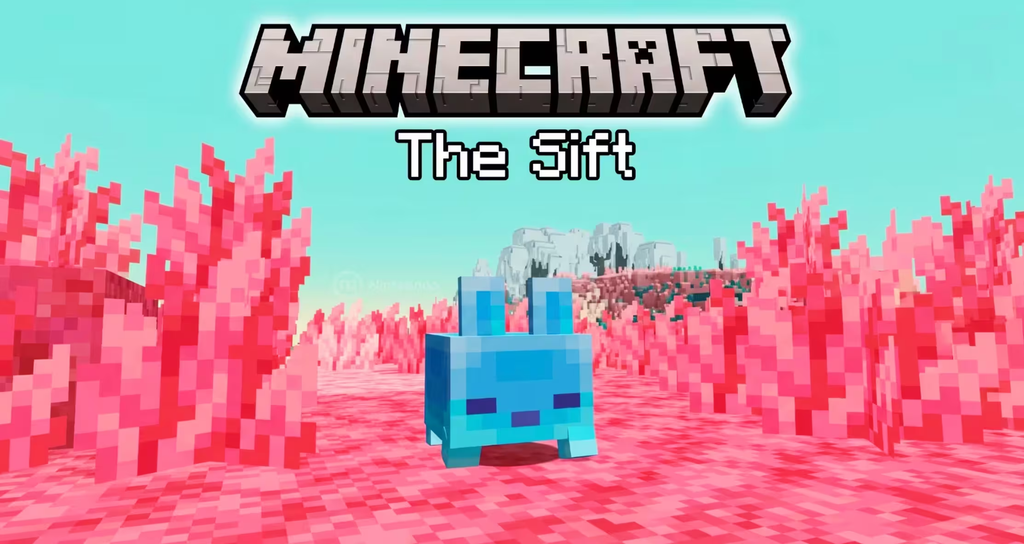
Seed parity is one of the quiet improvements that made Minecraft more connected. Thanks to the 1.18 rewrite, the same seed now builds the same mountains, rivers and biomes on Java and Bedrock, and modern Bedrock accepts the same long seeds that Java players share. What still differs, mainly structures, loot and small decorations, is easy to handle once you know it, and tools like seed maps and Creative tests close the gap. With the year-based version numbers and shared game drops, comparing editions is also easier than ever, and with The Sift dimension planned for both editions in 2027, it is likely that parity will keep improving. For the huge mobile community in Latin America, this means you no longer need to feel left out when a Java creator shows an incredible world. You can try it, adapt it and make your own story. If you want to see servers where Java and Bedrock players share the same world, check the video embedded at the top of this article from my channel PAU07. See you in the next seed! 🌎