

🦀 Minecraft Java on Android is no longer just a dream. A new open-source project called Horizon, nicknamed Minecraft Rust Edition by the community, rebuilds Minecraft: Java Edition 26.3 from scratch in the Rust programming language, and an unofficial Android port already lets you play it natively on your phone. In this guide I explain what Horizon is, how it runs on Android, what works, what does not, and how to install it step by step.
⏱️ Reading time: about 16 minutes · 🎮 Version: Minecraft Java 26.3 · 📱 Platform: Android 9+ (unofficial port)
📌 In this guide:
- What is Minecraft Rust Edition (Horizon)?
- Why rewrite Minecraft Java in Rust?
- How close is it to real Minecraft Java?
- The Android port
- Requirements
- How it runs on a phone
- Touch controls
- Multiplayer and servers
- Mods and resource packs
- Current limitations
- Horizon vs Minecraft Bedrock
- Is it legal and safe?
- Download and installation guide
1. What Is Minecraft Rust Edition (Horizon)? 🦀
Horizon is a free, open-source and completely unofficial project whose goal is simple to explain and incredibly hard to achieve: rewrite Minecraft: Java Edition 26.3 from the ground up in Rust. It is not a mod, a texture pack, a launcher skin or an emulator that runs the original Java code. It is a brand-new game engine that follows the same rules as Java Edition, generates the same terrain from the same seeds, and reads and writes the same world files. That is why players started calling it Minecraft Rust Edition: from the outside it looks and plays like Java Edition, but underneath every line of code is different. The project’s own documentation is very clear that Horizon is not an official Minecraft product, is not approved by or associated with Mojang or Microsoft, and contains no Minecraft code, assets or data. The original work is released under the MIT license, which means anyone can study it, improve it, or port it to new platforms. And that last point is exactly what made Minecraft Java on mobile possible.
2. Why Rewrite Minecraft Java in Rust? ⚙️
Minecraft Java Edition runs on the Java Virtual Machine, which is great on desktop computers but heavy on phones, where memory, battery and thermal limits are much tighter. Previous ways of playing Minecraft Java on Android usually depended on running a full Java runtime on the phone, translating OpenGL calls and hoping the device could keep up. Rust takes a different approach: it compiles directly to native machine code, manages memory without a garbage collector, and gives developers fine control over performance without sacrificing safety. For a game like Minecraft, which constantly loads chunks, builds meshes, ticks entities and updates lighting, that control matters a lot. A native Rust engine can also talk directly to modern graphics APIs. On desktop, Horizon supports Vulkan, DirectX 12 on Windows, OpenGL 3.3 on Linux and Apple Silicon Macs, and the Android port uses Vulkan as its main renderer. The result is an engine that is much easier to bring to new hardware, which is exactly why the community was able to port it to phones so quickly after its desktop release.
3. How Close Is Horizon to Real Minecraft Java? 🔬
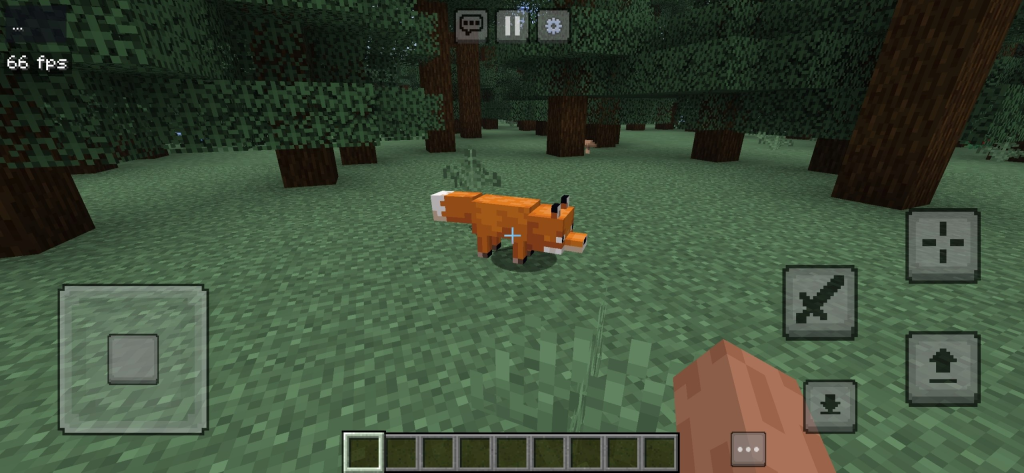
The most impressive part of Horizon is how seriously it takes accuracy. Instead of guessing how Minecraft behaves, the developers built differential test harnesses that run the same scenario in vanilla Java Edition and in Horizon and compare the results. According to the project’s latest audit, published on October 13, 2026, all 281 harnesses pass, covering world generation, lighting, chunk storage, redstone, mob spawning, mob AI, raids, inventories, crafting, commands, chat, sounds and rendering. For example, the team reports that more than 2,000 whole chunks across hundreds of structure sites generate identically to vanilla in all three dimensions, and that saves round-trip perfectly, with worlds from 1.8 to 26.2 upgraded the same way vanilla does it. The developers are also honest about what is missing: they track 833 open player-visible gaps, small behaviors a player could notice, from HUD details to specific animal or monster behaviors. In their own words, 100% parity means 100% of what the harnesses compare, not that nothing else differs. That transparency is a great sign for a project this ambitious.
4. The Horizon Android Port: Minecraft Java on Your Phone 📱
The official Horizon releases target Linux, macOS and Windows, but because the code is open source, several community developers started porting it to phones. The most complete one I have tested is Horizon Android, an unofficial native port maintained on GitHub. It describes itself in four points: Android 9+, Vulkan, four touch schemes and sandboxed .hmod mods. Unlike older methods, there is no separate Java runtime and no need to prepare files on a computer first: you install a single APK, open it, and the built-in launcher sets everything up on the phone. The app keeps your worlds and account data in its own private storage, and once the first setup is complete, you can launch the game without an internet connection. It is still in active development, so new builds arrive often and bring new fixes. In my video at the top of this post you can see exactly how it looks and feels on a real device, from the main menu to survival gameplay, so you can decide whether it is worth trying on your own phone.
5. Requirements to Play Minecraft Java on Android with Horizon 📋
Before you get excited, check that your device can run it. The main builds require Android 9 or newer on a 64-bit processor (arm64-v8a, which covers almost every modern phone), and these are the only builds that support .hmod mods. There are also experimental legacy builds for older 32-bit devices on Android 8.1, but they are much more limited and default to the OpenGL ES renderer. Your phone needs a GPU with working Vulkan drivers for the best experience, and you should have at least 500 MB of free storage for the first setup, which includes the game resources and sounds. The developers point out that having the right processor architecture does not guarantee that every graphics driver or memory configuration will work, so results can vary from one phone to another, especially on budget devices. If you plan to join servers that verify accounts, you will also need a licensed Minecraft account. In short: a reasonably recent mid-range phone with Vulkan support is the sweet spot for Minecraft Rust Edition on Android.
6. How Minecraft Rust Edition Runs on a Phone 🚀
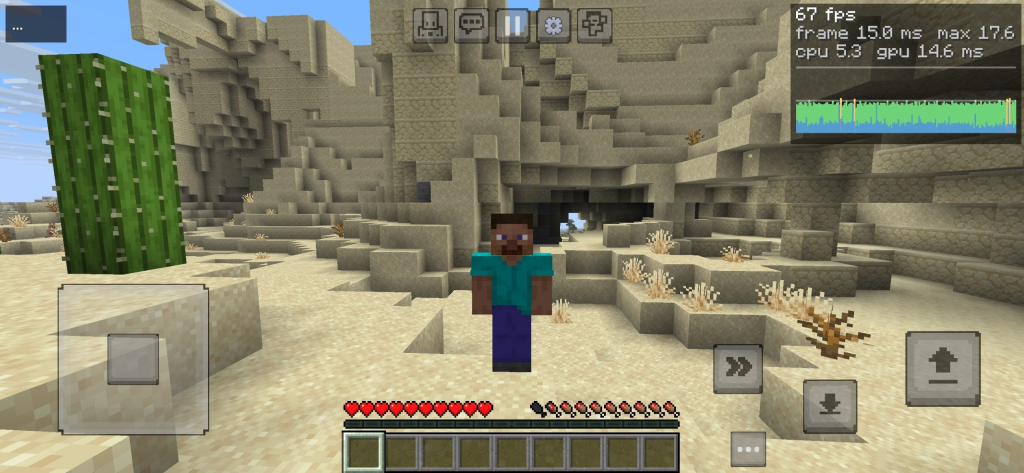
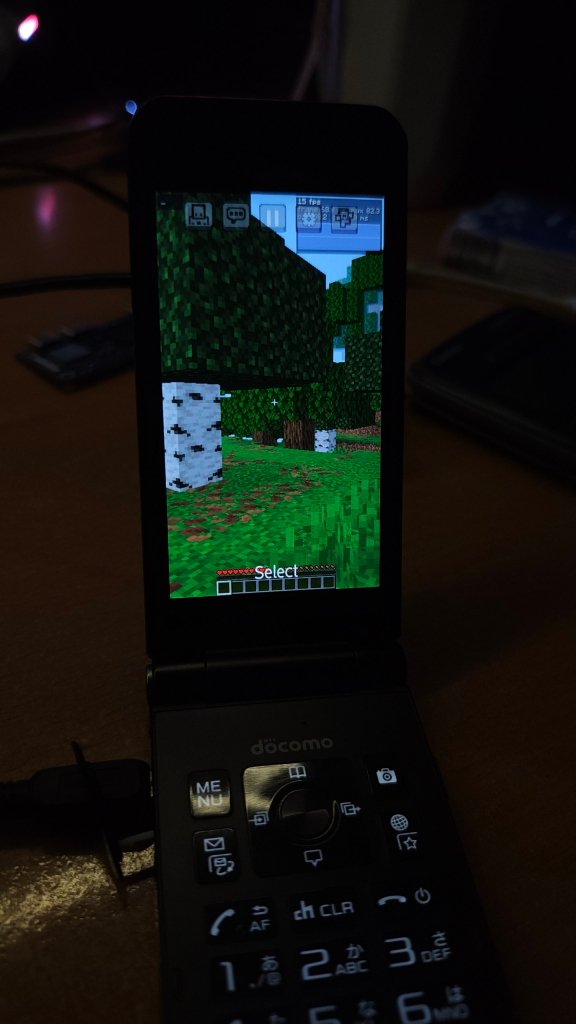
Performance is the question everyone asks, and the honest answer is: surprisingly well for such a young project, but it depends on your phone. The Android port’s own screenshots were captured on a POCO M8 Pro with a render distance of 16 chunks and Fancy graphics, which is a demanding configuration even for many PCs running Java Edition. The developers even show the game running on a Fujitsu F-03L flip phone in portrait mode, which says a lot about how lightweight the engine can be. They are careful to clarify that the FPS readings in their screenshots are not a controlled benchmark, and that real-device thermal and GPU vendor testing is still in progress. In my own test in the video, you can see how the game handles exploration, chunk loading and combat in real time. If your phone struggles, you can lower the resolution scale, reduce the chunk distance, set a frame limit or switch to lighter graphics directly in the in-game settings, exactly as you would in Java Edition on a computer.
7. Vulkan, OpenGL ES and Graphics Settings Explained 🎨
Horizon Android gives you three rendering options, and choosing the right one can make a big difference. The default is Vulkan with GPU batching, the fastest mode on phones with good drivers. If you see flickering textures, black screens or other visual glitches, switch to Vulkan compatibility mode, which was designed for drivers that have rendering issues. Finally, there is an experimental OpenGL ES renderer for devices where Vulkan simply does not behave, and it is the default on 32-bit builds. Everything else, including resolution, chunk distance, frame limit and graphics quality, is adjusted inside the game itself, not in the launcher. Sound runs through Android’s low-latency AAudio system, and the phone even vibrates for supported game events. My recommendation is to start with the default Vulkan mode, play for a few minutes, and only change the renderer if you notice problems. Then fine-tune the render distance: going from 16 to 10 or 12 chunks is usually the single biggest boost for FPS and battery life on mid-range phones.
8. Touch Controls: Joystick, D-Pad and Custom Layouts 🎮
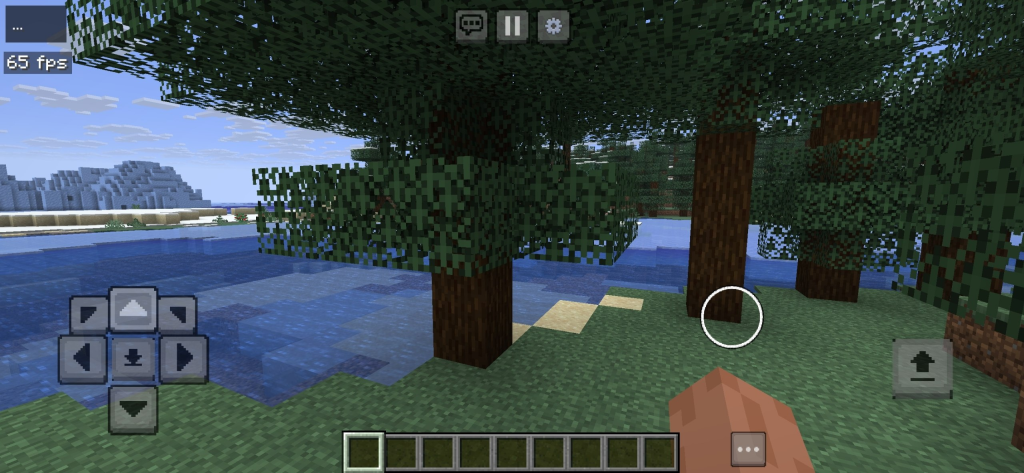
Playing a PC game on a touchscreen only works if the controls feel natural, and this is one of the areas where Horizon Android shines. You can choose between four touch schemes: a joystick or a D-pad for movement, each combined with either crosshair aiming (like Java Edition) or tap-to-interact (closer to Minecraft Bedrock on mobile). Every layout is fully editable: you can move buttons, change their size and opacity, switch handedness, adjust the joystick circle, enable 360-degree movement, turn on Auto Sprint and hide the Sprint button. You can also add up to 32 custom key buttons for actions you use often. If you prefer a real setup, connect a keyboard and mouse and Horizon detects them automatically, using pointer capture for the camera just like on a PC. There is even an experimental keypad and Android TV profile with remappable keys, although analog gamepad sticks are not connected yet. For most players, the joystick with crosshair aiming is the closest you will get to the real Java Edition feeling.
9. Singleplayer, Survival and Java Worlds 🌍
Horizon is not a tech demo where you can only walk around a flat world. It includes a full singleplayer experience with vanilla-style world generation, mobs, redstone, crafting, inventories and commands, all built to behave the same way Java Edition 26.3 does. Because the engine saves worlds in the exact same format as Java Edition, a world you create on your phone follows Java rules, including Java redstone mechanics, Java mob spawning and Java terrain generation from seeds. This is a big deal for players who have only ever experienced Minecraft Bedrock on mobile, since many famous Java farms, contraptions and seeds behave differently on Bedrock. On desktop, Horizon can even open worlds from much older versions and upgrade them the same way vanilla does. Keep in mind that on Android your worlds live inside the app’s private storage, which means uninstalling the app or clearing its data will delete them. Updating to a newer build with the same signing certificate keeps everything, but it is still a good habit to back up any world you care about.
10. Multiplayer: Can You Join Java Servers from Android? 🌐
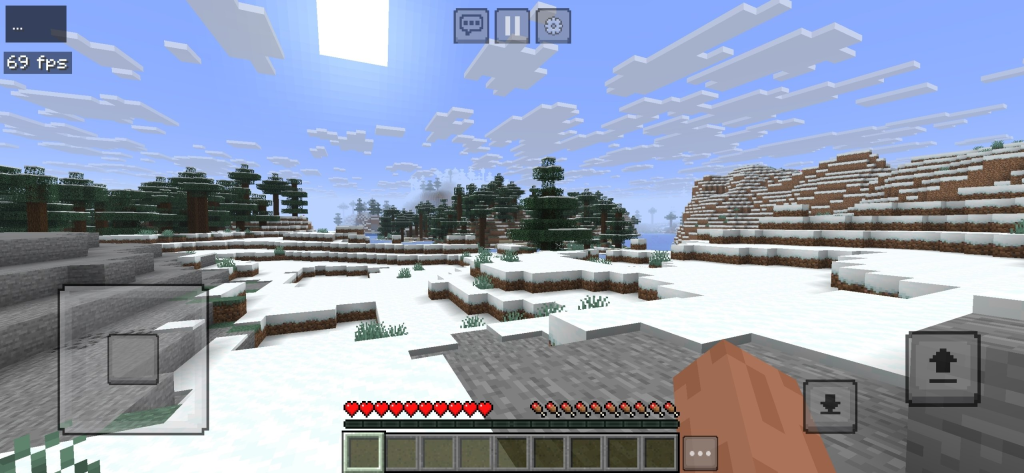
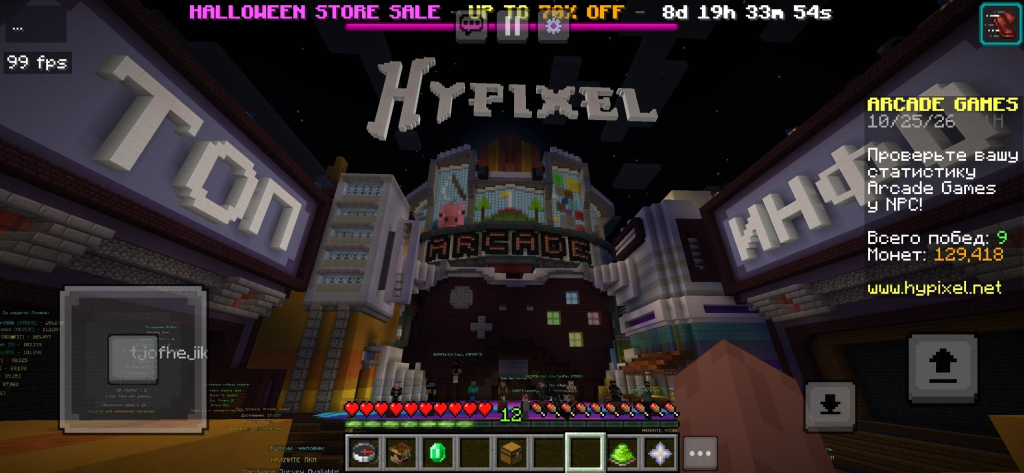
Yes, and this is one of the most exciting features. Horizon’s network code is built to join vanilla Java servers, and the Android port’s developers show it running in the Hypixel Arcade lobby, one of the most popular Minecraft Java servers in the world. On desktop you can also play with friends through invites and Open to LAN. There are a few important details, though. Servers that verify accounts, which includes most big public networks, require a licensed Minecraft account, and the Android port’s Microsoft sign-in currently uses a temporary development registration while production approval is pending, so logging in may not always work smoothly yet. Servers running anticheat plugins can also react differently to a new client, and the developers recommend testing compatibility on the actual server before relying on it. Offline-mode servers and LAN games are the easiest way to start. If multiplayer is your main goal, keep an eye on new releases, because account sign-in is one of the areas the developers are actively working on.
11. Mods, Resource Packs and .hmod Files 🧩
If you are hoping to load your favorite Fabric or Forge mods, I have to manage expectations: Fabric, Forge, NeoForge and Mixin mods do not run in Horizon, because they are made of Java code and Horizon does not execute Java at all. Instead, the project has its own mod system. On Android, you can import sandboxed .hmod packages, which run safely inside the engine on 64-bit builds, and new packages start disabled so you decide what to turn on. Source-only .hnmod mods need a separately compiled client and are not supported on Android yet. The good news is that resource packs work, so you can change textures and give the game your own style, and some data pack features are supported too. On desktop, the launcher can even import Modrinth and CurseForge modpacks and keep the content mods made only of data and assets. Over time, as more creators build native mods, this ecosystem should grow. For now, think of Horizon as a vanilla-focused experience with room for light customization rather than a heavily modded Java setup.
12. Current Limitations and Known Bugs ⚠️
Every early project has rough edges, and Horizon is no exception. The biggest limitation is that it only supports Minecraft Java 26.3, so you cannot pick older or newer versions the way you can with traditional launchers. Account sign-in on Android is still using a development configuration, multi-key macros are not implemented, external controller rumble is missing, and real USB and Bluetooth gameplay has not been fully tested on physical devices. On the upstream project, the developers list a few visible bugs, such as skins served over HTTPS showing the default skin unless they were cached, pack icons showing an unknown-pack texture and item tooltips missing their attribute lines. And of course, there are the 833 small player-visible gaps the team is tracking. None of these stop you from playing a survival world, but they are worth knowing before you dive in. The best way to help is to report bugs on the project’s GitHub page with your phone model and Android version, which gives developers the real-device data they need to keep improving Minecraft Rust Edition.
13. Horizon vs Minecraft Bedrock on Mobile: Which One Should You Play? ⚖️
This is not a replacement for Minecraft Bedrock Edition, and it is important to understand the difference. Bedrock, which you probably know as Minecraft PE, is the official mobile version: polished, optimized by Mojang, with cross-play, Realms, the Marketplace, add-ons and official updates like the recent Minecraft Bedrock 26.60. Horizon, on the other hand, gives you the Java Edition rules on your phone: Java combat, Java redstone, Java world generation and the ability to join Java servers. If you love building technical farms, following Java tutorials, or playing on Java servers with friends who only have a PC, Horizon is incredibly exciting. If you want stability, official support and the full mobile ecosystem, Bedrock is still the safer choice. Many players will end up using both: Bedrock for everyday play and Horizon for experiencing Java mechanics on the go. Since Horizon is free and does not touch your Bedrock installation, there is no reason not to try it side by side.
14. Is Minecraft Rust Edition Legal and Safe? 🛡️
Horizon’s original code is open source under the MIT license, and the desktop project states that it contains no Minecraft code, assets or data, and that you need your own copy of Java Edition 26.3, with a Microsoft account that owns the game, to use its official launcher. The Android port gets the original game resources from Mojang’s official servers and verifies them with pinned hashes, which protects you from modified files. Even so, remember that this is an unofficial project, not endorsed by Mojang or Microsoft, and Minecraft’s textures and sounds belong to Mojang. My recommendation is simple: own a legitimate copy of Minecraft Java Edition to support the developers who created the game and to access servers that check accounts. For safety, only get the app from the official GitHub releases page linked in this article, never from random sites or re-uploaded APKs, because modified versions can include malware. Also avoid giving your Microsoft credentials to any app that is not the official sign-in screen, and keep your phone updated.
15. Final Verdict: Is Minecraft Java on Android Finally Here? ✅
After testing it, my answer is: almost, and it is already very fun. Horizon proves that a native, high-accuracy version of Minecraft Java can run on a phone without a heavy Java runtime, with real Java worlds, Java multiplayer, flexible touch controls and modern Vulkan graphics. It still has limitations, like supporting only version 26.3, no Fabric or Forge mods and an account sign-in that is still in development, but the pace of progress is impressive and the developers are transparent about what is missing. If you have a 64-bit phone with Android 9 or newer and Vulkan support, I definitely recommend giving it a try, especially if you have always wanted to experience Java Edition mechanics on mobile. Watch the full video at the top of this post to see it in action, tell me in the comments which phone you used and how many FPS you got, and use the button below to get the latest Horizon Android release, followed by a complete installation guide. 🙌
16. Download Horizon Android (Minecraft Rust Edition) ⬇️
Press the button below to go to the official Horizon Android releases page on GitHub, where every new build is published by the developer. After a short 20-second countdown you will be redirected automatically. On the releases page, open the latest version and pick the APK that matches your phone, as explained in the installation guide right after the button.
⛏️ HORIZON ANDROID
Minecraft Rust Edition · Java 26.3 · Android 9+
Official GitHub releases · Unofficial project, not affiliated with Mojang or Microsoft
17. How to Install Minecraft Rust Edition on Android: Step-by-Step Guide 🛠️
Installing Horizon Android takes only a few minutes and does not require a computer. The key is choosing the correct APK for your phone’s processor, because the releases page includes several builds. Almost every phone sold in recent years uses a 64-bit ARM processor, so the arm64-v8a build is the right choice for most people and the only one with .hmod mod support. If you are not sure, a free app like CPU-Z will show your phone’s architecture under the System tab. Follow these steps in order:
- Open the releases page with the button above and expand the Assets section of the latest release.
- Pick the APK for your architecture: arm64-v8a for most phones (Android 9+), x86_64 for some tablets and emulators, or the experimental armeabi-v7a build for old 32-bit phones (Android 8.1+).
- Allow the installation: when Android asks, enable Install unknown apps for your browser or file manager, then install the APK.
- Open Horizon and choose the option to get Minecraft 26.3. Stay on Wi-Fi: the first setup needs about 500 MB for the game resources and sounds, which come from Mojang’s official servers.
- Wait for verification and installation to finish, then press Play.
- Choose your touch scheme (joystick or D-pad, crosshair or tap aiming) and adjust the buttons from the settings.
- Create a world or sign in with your licensed account if you want to join servers that verify accounts.
If the game shows a black screen, flickering textures or crashes on launch, go to the graphics options and switch from the default Vulkan mode to Vulkan compatibility mode, or try the experimental OpenGL ES renderer if your GPU drivers are older. If the FPS feels low, lower the render distance to 8 to 12 chunks, reduce the resolution scale and set a frame limit to keep your phone cooler during long sessions. To update Horizon, simply install the new APK over the old one: as long as it uses the same signing certificate, your worlds and settings are kept. Never uninstall the app or clear its data unless you have backed up your worlds, because they are stored in the app’s private folder. And if you find a bug, report it on the project’s GitHub page with your phone model, Android version and renderer, so the developers can keep making Minecraft Java on Android better for everyone.