

1. When Minecraft stops looking like Minecraft 😱
Some shaders make Minecraft prettier. Others make it look like a different game. Eternity belongs to the second group, especially in its deferred versions. With real-time shadows, glowing torches that light up rooms, reflective water and atmospheric skies, it creates scenes that many people mistake for Java shader footage or even rendered animations. My video titled the most realistic shader for Minecraft Bedrock 26.52, embedded above, shows it running in real gameplay, and the short clip that followed went viral on my channel because people could not believe it was Bedrock. In this article I want to explain why it looks so different. The answer is a rendering technique called deferred rendering, which changes how light is calculated. Understanding it helps you appreciate what shader creators achieve within Bedrock limits, and it also helps you decide if your device can handle it. We will cover the history of realistic shaders on Bedrock, how deferred rendering works in simple words, what hardware you need, the best settings, and how to get cinematic clips without frying your phone. 🎬
2. A short history of realistic Bedrock shaders 📜
Realistic shaders on mobile have a long and bumpy history. Years ago, classic packs attempted realism with simple tricks: darker shadows on block faces, stronger colors and reflections faked with sky colors. They looked impressive for their time but were limited. Then RenderDragon arrived and broke the old shader system, and for a while realism on mobile seemed impossible. The community rebuilt shaders as material.bin files loaded through tools like Patched, MB Loader and BetterRenderDragon, and creators started pushing the limits again. On this blog I have reviewed several realistic options over the years, from Eternity to cinematic styles like Solace. Meanwhile, Mojang developed Vibrant Visuals, adding official directional lighting and shadows. The arrival of deferred techniques in community shaders marked a new stage, because they allow effects that were previously reserved for Java and PC shader packs. Each step in this history was driven by players who wanted Bedrock to look as good as any other version of Minecraft, and today that goal is closer than ever on capable devices. 🕰️

3. Forward vs deferred rendering 🔬
To understand deferred rendering, imagine how a game draws a scene. In forward rendering, the traditional method, each object is drawn and lit at the same time. If there are many lights, the game must calculate each light for each object, which quickly becomes expensive, so forward shaders usually limit how many lights affect a block. In deferred rendering, the process is split. First, the game draws the scene into several hidden images, often called a G-buffer, storing information like color, surface direction, depth and material properties for each pixel. Then, in a second pass, it calculates lighting using that stored information. The advantage is that lighting is calculated per pixel on screen rather than per object, so many lights, detailed shadows and effects like screen space reflections become more practical. That is why deferred shaders can make every torch and lantern cast real light around it, and why scenes look so cohesive. The cost is memory and bandwidth, since the G-buffer must hold extra data for every pixel, which is why deferred shaders need stronger GPUs. 💡
🧠 Interactive concept map
🔬 Deferred
Draw scene into a G-buffer first, light it per pixel later.
🌅 Effects
Sun shadows, point lights, reflections, scattering, bloom.
📱 Hardware
High-end phones with 6 to 8 GB RAM or a PC with a dedicated GPU.
⚙️ Settings
Lower render distance, reduce shadow and reflection quality.
🧱 Textures
PBR or smooth realistic packs, or clean defaults.
🎥 Content
Golden hour, slow cameras, credit the shader creator.
👆 Tap any branch to open it
4. What Eternity does with it 🌅
With deferred techniques, Eternity can combine several effects that create its realistic look. Sun shadows move through the day and fall naturally across terrain and builds. Point lights from torches, lanterns, glowstone and lava illuminate surroundings with warm colors, so caves and interiors feel real. Reflections on water and shiny surfaces mirror the world. Atmospheric scattering and fog give depth to distant landscapes, making mountains fade into the sky. Bloom makes bright light sources glow softly. Together, these effects transform familiar places. A simple wooden house at sunset becomes a postcard. A mine with lanterns becomes a dramatic scene. The new 2026 biomes are perfect showcases: the Dappled Forest with its fiery poplar trees glows under golden light, and the yellow and red tones of sulfur caves look incredible with point lights and fog. Exact features vary between versions of the shader, and creators update and tweak them often, so the version you install for 26.52 may look slightly different from older clips. Always check the description of the specific version. ✨
5. Hardware you really need 📱
Deferred shaders are among the most demanding options for Bedrock, so hardware matters. On Android, you will want a recent high-end or strong upper mid-range phone with a capable GPU and at least 6 to 8 GB of RAM for comfortable play. On weaker devices, the shader may load but run at very low frame rates or heat the phone quickly. On Windows with BetterRenderDragon, a dedicated graphics card gives the best experience. Resolution plays a big role: since deferred lighting is calculated per pixel, phones with very high resolution screens do more work. Some players lower the game resolution or use a scaling option to gain performance. Temperature is the hidden enemy. Even powerful phones reduce performance when hot, so a session that starts smooth may become choppy after twenty minutes. If you are on a budget phone, do not feel bad. Light shaders exist for exactly that reason, and many look beautiful. Deferred realism is the top of the pyramid, ideal for screenshots and cinematic moments rather than every day survival on modest hardware. 🔋

6. Settings for smooth realism ⚙️
If your device can run Eternity, a few settings help keep it smooth. Lower render distance compared to vanilla; deferred lighting multiplies the cost of each visible chunk. Disable fancy leaves and other vanilla graphical extras that the shader replaces anyway. If the shader offers options, start by reducing shadow quality, reflection quality and volumetric effects, which are the most expensive. Avoid stacking very high resolution PBR texture packs on phones; a 32x or 64x pack often looks great with this kind of lighting and saves memory. Close background apps, disable battery saver, avoid charging while playing and keep the phone cool. If you notice performance dropping over time, a game restart can help. On PC, update graphics drivers and close overlays. Finally, match versions: use the build of the shader made for 26.52 and the right loader version. A version mismatch can cause visual errors that look like performance issues. With a balanced setup, you can enjoy realistic lighting while keeping the game playable. 🔧
7. Textures that complete the look 🧱
Lighting is only half of realism; textures are the other half. Deferred shaders shine with PBR texture packs that provide normal or height maps and material properties, because the lighting engine can use that data to show depth and shininess. If the shader supports PBR input, combining it with a well made realistic pack produces the most convincing results. If your device struggles with high resolution PBR packs, a smooth realistic pack like Soartex Fanver or even default textures can still look excellent with strong lighting. Interestingly, some of the most beautiful Eternity clips use simple textures, because clean surfaces let the lighting stand out. Experiment with three setups: default textures, a smooth realistic pack and a PBR pack, and compare them at sunset in the same place. Pay attention to how stone, wood, water and leaves look. Also consider animation packs like Actions and Stuff for cinematic recordings, but test performance carefully, since combining heavy shaders with complex models adds load. The best setup is the one that looks great and keeps your frame rate stable. 🎨
| Aspect | Forward | Deferred |
|---|---|---|
| How lighting is done | Per object while drawing | Per pixel after drawing |
| Many lights | Expensive | Practical |
| Memory use | Lower | Higher, needs G-buffer |
| Transparency | Easier | Harder, more artifacts |
| Typical shaders | Light Newb style | Eternity deferred |
| Best devices | Any phone | High-end phones and PC |
Tap a column header to sort ⇅
8. Recording cinematic clips 🎥
Many players use realistic shaders mainly for content: shorts, cinematic intros and screenshots. To get the best results, plan your shots. Golden hour, sunrise and sunset, is when shadows are long and light is warm, making any scene dramatic. Nights with lanterns and torches show off point lights. Rain and fog add mood. Use slow camera movements; on Bedrock you can use commands or third person views, and on PC there are camera tools that make smooth movements easier. Record at a stable frame rate rather than chasing maximum quality, because stuttering ruins cinematic clips. If your phone struggles, lower render distance during recording since fog will hide the edges. Short clips perform very well on platforms like YouTube Shorts and TikTok, which is why my short about the most realistic Bedrock shader got so much attention. When posting, mention the shader name, version and your device, because viewers always ask, and it helps people with similar phones decide if they can try it. Giving credit to the shader creator is also important and appreciated by the community. 🎞️
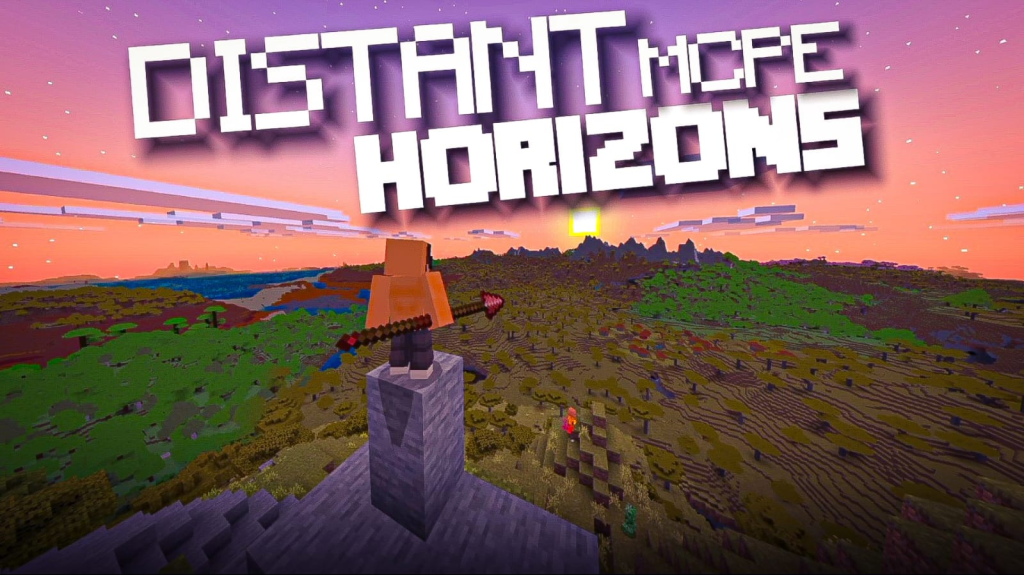
9. Limitations and honest expectations 🤔
Realistic deferred shaders are amazing, but it is important to keep honest expectations. They can produce visual artifacts, such as shadows flickering at certain angles, issues with transparent blocks like glass and water, or effects that look strange with some addons and custom entities. They drain battery quickly and produce heat, so long survival sessions on phones may not be comfortable. They depend on loaders and must be updated after each Minecraft version. And they may not be allowed on servers that block modified clients. None of this means you should avoid them, only that they are best used intentionally: for exploring a beautiful world, for building sessions, for recording, or for enjoying a new biome. For daily survival, many players switch to a lighter shader or Vibrant Visuals. Think of Eternity and similar shaders as a premium experience you turn on for special moments. That mindset keeps your phone healthy and makes those realistic moments feel even more special. Also remember that shader creators are often small teams working for free, so feedback should be respectful. ⚖️
10. Conclusion: realism on Bedrock is real 💚
Eternity and other deferred shaders prove that Minecraft Bedrock can look truly realistic. By splitting the scene into a G-buffer and calculating lighting per pixel, deferred rendering enables real-time shadows, many dynamic lights, reflections and atmospheric effects that were once exclusive to Java and PC. The price is performance, so use it on capable devices, tune the settings, keep your phone cool, match the shader version to 26.52 and download from trusted sources. Combine it with good textures, plan your shots at golden hour and enjoy the moments when Minecraft stops looking like Minecraft. If your device cannot handle it, light shaders and Vibrant Visuals remain excellent options. Watch the video and the short embedded in this article from my channel PAU07 to see Eternity running on a real device, and tell me in the comments which realistic shader you want me to test next. I will keep searching for the most impressive visuals for every type of phone. See you at sunset! 🌇