

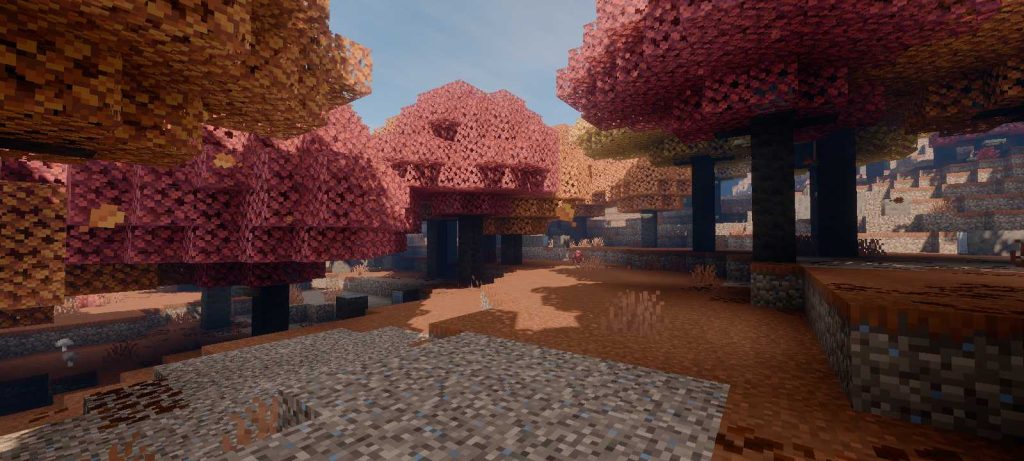
1. What Is Mirai Shader v.3.1.0 for Minecraft Bedrock?
Mirai Shader v.3.1.0 is the newest version of Mirai, a realistic shader for Minecraft Bedrock Edition created by the shader developer bambosan. Its goal is simple to explain and very hard to achieve: make the blocky world of Bedrock look natural, atmospheric and cinematic without turning it into a different game. Instead of the classic tricks that older MCPE shaders used, like darker block faces or fake reflections painted with the sky color, Mirai works directly with the modern RenderDragon engine and the Vibrant Visuals pipeline that Mojang introduced for Bedrock. The result is a shader with a physically inspired sky, high-altitude cirrus clouds, clean screen-space reflections, light patterns on the seabed, deeper water waves and puddles that form on the ground when it rains. Version 3.1.0 is built for Minecraft Bedrock 26.50, 26.51 and 26.52 on the stable release, and it has official downloads for Android, iOS and Windows. In this article I explain what Mirai is, how it changes the rendering of your worlds, every important feature, what changed in this update, which devices and versions it supports, how to install and activate it correctly, and who deserves the credit for this amazing work.
2. Mirai Is Back: From the Classic Shader to a Complete Reboot
If you have been playing Minecraft PE for a few years, the name Mirai probably sounds familiar. bambosan already had an earlier shader with the same name, but the current project is a full reboot that was reimagined around a realistic look instead of the old style. The new Mirai started with version 1.0.0 and grew quickly. Version 2.0.0 introduced real-time volumetric clouds with shadows, volumetric fog underwater and lighting that fades naturally at sunset, night and sunrise. Version 2.1.1 brought full Windows support, compatibility with Bedrock 26.10 and above, water scattering and support for colored floodfill lighting. Then came version 3.0.0, the biggest change so far: the codebase was rebuilt for a new compiler with a new shader and file structure, support moved to Bedrock 26.50 and above, iOS support was added, and new effects like rain puddles and water parallax appeared. That version also had to remove the volumetric clouds and their shadows, because the buffer that stored their noise textures is no longer accessible to one of the materials, so today only the cirrus clouds remain. This is why so many players say Mirai is back: after the big engine changes in the 26.50 Wilderness Bound update, the shader is once again working on the latest stable Bedrock versions, and 3.1.0 polishes that new foundation.
3. How Mirai Rebuilds the Vibrant Visuals Pipeline in RenderDragon
To understand why Mirai looks so different from a normal resource pack, you need to know how shaders work on modern Bedrock. When Mojang moved the game to RenderDragon, the old shader system stopped working, and the community started creating custom shaders by modifying the engine’s material files directly. Mirai takes this idea very far: it is a heavily modified Vibrant Visuals pipeline that rebuilds 54 materials of the RenderDragon engine, all aimed at realism and an atmospheric feel. Vibrant Visuals, the official graphics mode I explained in my Vibrant Visuals guide, uses deferred rendering, which means the game first stores information about every visible surface, such as color, normals and material properties, and only then calculates lighting for the whole scene. This is what makes advanced effects like screen-space reflections, volumetric fog and realistic shadows possible on Bedrock. Mirai replaces many of those lighting and post-processing steps with its own versions, so the sun, the sky, the water and the reflections all follow bambosan’s vision instead of Mojang’s default look. It also explains one known limitation: objects that use forward rendering, like glass, ice and banners, can look distracting when you see them from underwater, which is inherent to deferred rendering and not a bug in the shader.
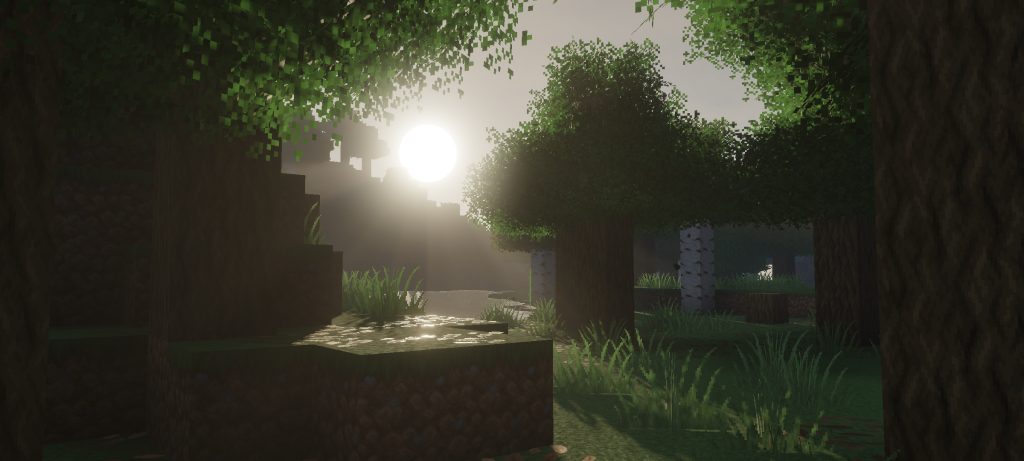
4. A Realistic Sky: Atmospheric Scattering, Cirrus Clouds and AgX Tonemapping 🌅
The first thing you notice when you load a world with Mirai is the sky. The shader uses atmospheric scattering, a semi-physical sky model that simulates how sunlight travels through the air, so the colors change naturally from a clear blue noon to warm tones at dawn and dusk. Above that sky, Mirai draws cirrus clouds, thin high-altitude planar cloud layers that make the horizon feel huge, especially when you are standing on a mountain in the Overworld or flying with an elytra. All of this light passes through AgX-based tonemapping, a technique that handles very bright lights and saturated colors more smoothly, so the sun does not burn out the whole screen and dark caves keep their detail. In version 3.1.0 the tonemapping was updated to use Rec. 709 directly, without unnecessary color transforms. The update also changed how light reaches blocks: there is a new sky lightmap occlusion curve, a new block lightmap curve with different intensity for torches, lanterns and other light sources, and a lower night light intensity, which makes nights darker and more immersive. Rain also contributes to the sky and atmosphere, so a storm in a plains biome feels completely different from a sunny day.
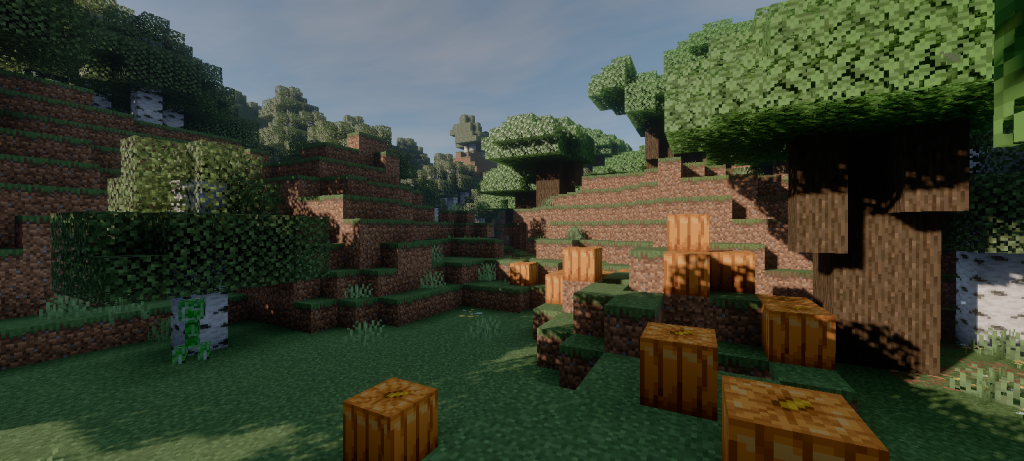
5. Water in Mirai: Caustics, Parallax Waves and Snell’s Window
Water is one of the areas where Mirai shows the most effort. On sunny days the shader projects water caustics, the bright moving light patterns you see on the bottom of a pool or a shallow ocean, onto the seabed, which makes ocean monuments, coral reefs and even a simple farm canal look alive. The surface of the water uses a parallax effect that makes the waves appear deeper than they really are, so lakes and rivers stop looking like a flat blue texture. When you dive underwater, Mirai renders Snell’s window, the circular area where you can clearly see everything above the water line, just like in real life when you look up from below the surface. This small detail makes exploring shipwrecks or building an underwater base much more immersive. In version 3.1.0, bambosan simplified the calculation of the water surface wave normals, which keeps the waves looking good while reducing the work the shader has to do. Remember that because of deferred rendering, objects like glass panes, ice or banners can look a bit strange when you see them from inside the water, so if you build an aquarium or a glass tunnel, test it with the shader active before recording a showcase.
6. Screen-Space Reflections and Rain Puddles
Reflections are a big part of why Mirai looks realistic. The shader uses screen-space reflections that are cleaner than the default ones, with more vertical tracing, so tall objects like trees, towers and mountains reflect correctly on water and shiny surfaces. Since version 3.0.0, these reflections also have simple filtering to reduce noise. The other star feature is the rain puddle system. When it rains, puddles form on upward-facing surfaces and make them reflective, which turns a normal village path, a stone brick plaza or the roof of your base into a mirror of the cloudy sky. In 3.1.0 the puddles were adjusted: they are smaller, they need a higher threshold to appear and their intensity is stronger, which makes them look more natural instead of covering every block. Combined with the rain contribution to the atmosphere, a thunderstorm becomes one of the most beautiful moments to take screenshots or record cinematic clips. If you are a builder who loves medieval towns, modern cities or survival bases, rain plus Mirai reflections is a combination you have to try at least once, because the same build can look like a completely new place under bad weather.
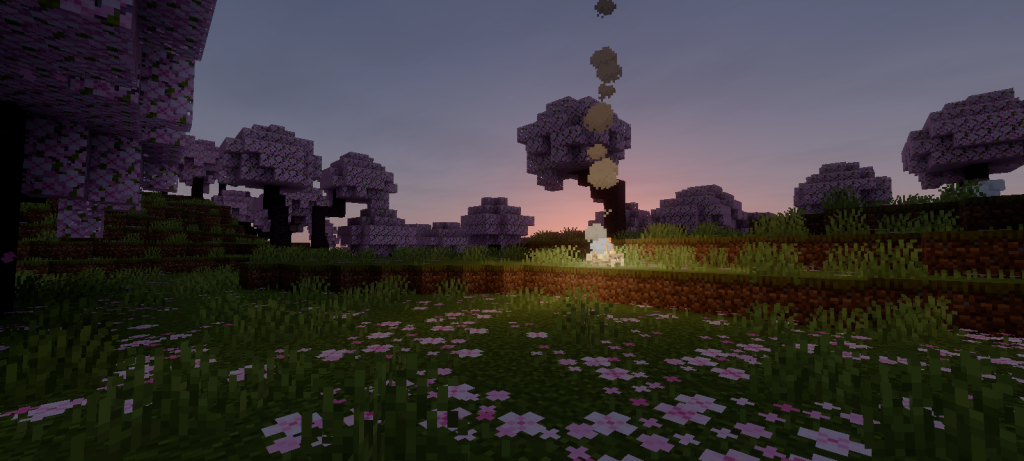
7. What’s New in Mirai Shader 3.1.0: Full Changelog Explained
Mirai 3.1.0 is not a giant feature update like 3.0.0, but it is an important refinement of the new codebase. According to the official changelog, the update adds distance fading to subsurface materials, introduces the new sky lightmap occlusion curve and the new block lightmap curve with changed intensity, and updates the tonemapping so it works directly in Rec. 709. The rain puddles were made smaller with a higher threshold and stronger intensity, the ground of the sky atmosphere was changed, the border fog intensity was increased, the night light intensity was decreased and the transmittance of the volumetric fog was reduced, which makes the air feel denser and more atmospheric. The water surface wave normal calculations were simplified, and the ozone multiplier was removed from the transmittance calculations used for surface lighting. On the fixes side, 3.1.0 solves NaN errors on Actor materials, the materials used for entities like mobs and players, which in 3.0.0 could appear completely black on some devices. It also fixes terrain shadow rendering and the TAAU offsets, the temporal upscaling that keeps the image stable and sharp. In short, this version is cleaner, more stable and closer to the realistic look bambosan wants, which is great news for anyone who tried 3.0.0 and found visual glitches.
8. Compatibility, Performance and Known Bugs
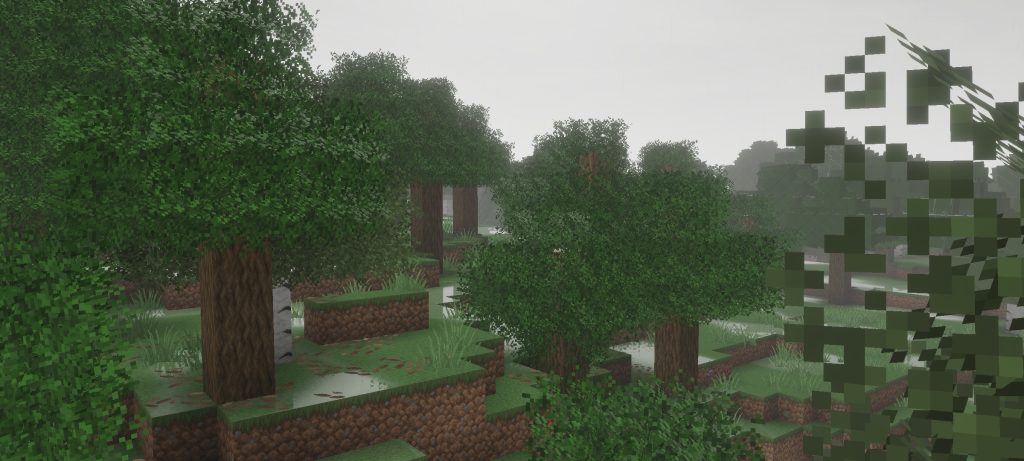
Mirai Shader v.3.1.0 is made for Minecraft Bedrock 26.50, 26.51 and 26.52, and only for the release/stable versions, not Preview or Beta builds. If you want to know what changed in those versions, you can read my guides about Minecraft Bedrock 26.50 Wilderness Bound and the 26.51 and 26.52 hotfixes. There are separate official packages for Android, Windows and iOS, so always download the one that matches your platform. Mirai is compatible with other resource packs, including Vibrant Visuals packs, as long as you place Mirai on top of them in the pack list, and you can use it on servers because it is a client-side visual pack. It already supports colored lighting, and you only need to combine it with the Vibrant Visuals pack that includes a colored lighting configuration. About performance, the creator says it is hard to promise exact numbers, but that it runs better than vanilla Vibrant Visuals, so your device should at least handle Vibrant Visuals comfortably. If your phone is low-end, check my list of low-end shaders for Minecraft PE 26.52. The main known bug is severe color banding on volumetric fog, caused by a change Mojang made to temporal accumulation that does not affect the scattering and color stage.
9. How to Install and Activate Mirai Shader in Minecraft Bedrock
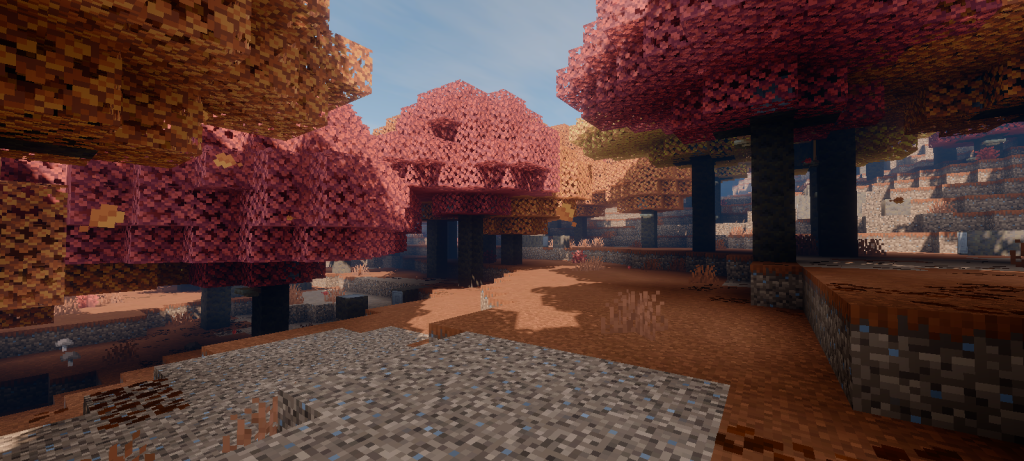
Installing Mirai is similar to installing any .mcpack, but because it is a RenderDragon shader, you should read the official installation guide that bambosan recommends before you start, since custom shaders need a compatible setup on each platform. I also explain the tools the community uses in my article about Minecraft Patched, MB Loader and BetterRenderDragon. First, check that your game is on Bedrock 26.50, 26.51 or 26.52 stable. Then use the download button at the end of this article to get the official file for Android, Windows or iOS, and open the .mcpack so Minecraft imports it automatically. Inside the game, go to Settings, open Global Resources, find Mirai in your available packs and activate it. If you use texture packs or other visual packs, move Mirai to the top of the active list, as the creator recommends. Finally, load a world and test it during the day, at sunset and in the rain to see every effect. Always download Mirai from the official sources linked here, because reuploads on random websites can be outdated, modified or even fake, and they do not support the person who actually made the shader.
10. Credits: Mirai Shader Is Created by bambosan
All the credit for Mirai Shader goes to its creator, bambosan, the developer behind the original Mirai and this realistic reboot for Minecraft Bedrock. Every screenshot in this article comes from the official Mirai website, and every download link points to bambosan’s official releases, because the best way to enjoy a shader is to respect and support the person who builds it. bambosan also thanks veka0 for creating Lazurite, a tool that helps shader developers work with RenderDragon materials, and everyone who helped with the project. If you find a bug or want to suggest an improvement, the right place is the official Mirai GitHub repository, and you can see every version and screenshot on the official Mirai website. RenderDragon materials are assets of Minecraft: Bedrock Edition, and Minecraft is a trademark of Mojang, so neither Mirai nor this blog is affiliated with Mojang or Microsoft. On my side, I showed Mirai running in real gameplay on my YouTube channel PAUJITY, and I will keep covering the best Minecraft Bedrock shaders, addons and updates here on paujity.com. Thank you, bambosan, for bringing Mirai back and making Bedrock look this good. 💚
Mirai Shader v3.1.0
Looking for Mirai Shader for Minecraft Bedrock? Press the button and wait 10 seconds to unlock the official download links from the creator.
Tip: in Global Resources, place Mirai on top of your other packs. Read the official installation guide before installing.
Credits
Mirai Shader is created and maintained by bambosan. All rights belong to the creator. Downloads link directly to the official releases on GitHub.
Thanks to veka0 for Lazurite, the tool that helps make RenderDragon shaders possible.
Screenshots: official Mirai website. RenderDragon materials are assets of Minecraft: Bedrock Edition. Minecraft is a trademark of Mojang. Not affiliated with Mojang or Microsoft.
Article by PAUJITY / paujity.com